
Website Build, Content, SEO and Booking System for a Cape Town Youth Coaching Business PROJECT OVERVIEW IBIC Rugby Academy is a Cape Town-based youth rugby coaching service offering private and group sessions for young players at False Bay Rugby Club in Constantia. The business provides personalised one-on-one, small group, and group coaching across multiple session formats and durations, with a focus on individual player development, technical growth, and confidence on and off the field. The project required a complete website build from the ground up, a clean, conversion-focused one-page design with a separate blog and a fully functional online booking system. Midway through the build, the site experienced a sophisticated server-level malware attack originating from a compromised hosting migration. Full security recovery, malware remediation, and GSC cleanup were carried out as part of the project scope before the site was launched. SERVICES DELIVERED Website Design and Development Full WordPress and Elementor Pro build across a one-page home design with dedicated blog and booking pages. The home page integrates all core sections — about, services, pricing, and contact — with anchor-based navigation allowing smooth scrolling from any page on the site. Fully optimised for mobile, tablet, and desktop across all pages. Content Strategy and Copywriting End-to-end content creation for all pages, written to reflect the personal, community-driven character of the business while maintaining a professional standard appropriate for parents researching coaching for their child. Pricing page, booking page explainer, and full booking terms and conditions written and structured for clarity and legal protection. Online Booking System A multi-step booking form built using Royal Elementor Pro, covering all coaching formats, session durations, location selection, and client details across a clean three-step flow. Automated email notifications configured for both client confirmation and coach notification. Booking terms and conditions integrated into the form submission process with mandatory acceptance checkbox. Monthly Subscription Offer A limited-availability monthly subscription package, eight 30-minute sessions at a 35% discount on the standard per-session rate, added to the pricing section as a conversion-focused banner with visual direction and copy. On-Page SEO Focus keyphrases, SEO title tags, and meta descriptions completed for all pages. Image alt tags applied across the site. Each page targets a distinct keyphrase relevant to youth rugby coaching in the Constantia and Southern Suburbs market. GEO — Generative Engine Optimisation All pages and content structured for citation by AI-powered search platforms including Google AI Overviews, ChatGPT, and Perplexity. Content authority signals and direct-answer formatting applied throughout. Security Hardening and Malware Recovery Following a sophisticated malware attack originating from a compromised hosting migration, full security recovery was carried out — including identification and removal of multiple webshells, backdoors, and attacker-planted plugins across two sites on the same hosting account. A compromised .htaccess file containing an attacker whitelist was identified and replaced. A mu-plugins backdoor designed to survive standard cleanup was identified and removed. The site was restored from a clean backup, hardened with Wordfence, two-factor authentication, and file editing restrictions, and confirmed clean before launch. Google Search Console Setup and Spam Remediation Site verified in GSC, XML sitemap submitted and confirmed. Following the malware attack, thousands of attacker-generated spam URLs were identified in GSC across both the IBIC and Lease IQ accounts. Robots.txt was updated to block spam URL patterns, sitemaps were regenerated and resubmitted, and GSC was monitored through the cleanup process to confirm spam URLs were clearing from the index. OUTCOME IBIC Rugby Academy launched with a complete, professional web presence — a clean one-page design, a fully functional multi-step booking system, and a content foundation built for the local Cape Town youth rugby market. The site is live at ibic.co.za, fully indexed in Google Search Console, and actively taking session bookings. Despite a significant security incident midway through the build, the project was completed without permanent data loss, with both sites on the hosting account fully recovered, hardened, and operational. The security recovery process identified multiple sophisticated attack vectors that had survived an initial host-level cleanup, demonstrating the value of a thorough and methodical approach to malware remediation.

Lease-IQ – Lease Review Specialist
Full Website Build and Content Strategy for Lease IQ Lease IQ is a Cape Town-based independent lease advisory service offering professional lease reviews for residential tenants and smaller commercial businesses. The business launched with no existing web presence and needed a complete digital foundation built from the ground up — a credible, content-rich website capable of attracting organic search traffic from day one. The brief was to build a site that reflected authority, trust and transparency: a service backed by strong professional credentials entering a market with no direct equivalent at the price point being offered. Service Delivered Website Design and Development Full WordPress and Elementor build across eight pages: Home, About, Residential Lease Review, Commercial Lease Review, FAQ, Blog, Contact, and a custom 404 page. The site was designed and optimised for mobile, tablet, and desktop across all pages. Content Strategy and Copywriting End-to-end content creation for every page on the site, written to reflect the client’s authority and professional background without relying on generic copy. Service pages were structured around four distinct tenant entry points — pre-signature, mid-tenancy, renewal, and cancellation, to capture search intent across the full customer journey. Blog Content A blog content strategy across two categories, Residential Leasing and Commercial Leasing, with six fully written, SEO-optimised posts published at launch. Topics were selected for search volume, competition gap, and direct alignment with the service pages. On-Page SEO Focus keyphrases, SEO title tags, and meta descriptions completed for all pages within Yoast guidelines. Image alt tags applied across the full site. Each page targets a distinct keyphrase to avoid cannibalisation across the site. GEO — Generative Engine Optimisation All pages and blog content were structured and written for citation by AI-powered search platforms, including Google AI Overviews, ChatGPT, and Perplexity. Content authority signals, structured data, and direct-answer formatting were applied throughout. Schema Markup FAQ schema (JSON-LD) implemented on the FAQ page to support Google People Also Ask eligibility across 20 questions structured across four topic sections. POPIA-Compliant Privacy Policy A full Privacy Policy drafted in plain language and structured for compliance with the Protection of Personal Information Act. Google Search Console Setup Site verified in GSC, XML sitemap submitted and confirmed, and all pages indexed at launch. Outcome Lease IQ launched with a complete, professional web presence, eight fully optimised pages, six published blog posts, and a content foundation built for long-term organic growth. The site was indexed in Google Search Console at launch with all pages confirmed. The content strategy positions Lease IQ to rank for both transactional queries (lease review Cape Town) and high-volume informational searches across residential and commercial leasing topics, building authority in a niche with no established local competitor at the same price point.

Web Design Agency vs Freelancer — Which Is Right for Your Business?
It’s one of the first decisions a business owner faces when they need a new website, and it’s rarely as straightforward as either agencies or freelancers would have you believe. Agencies will tell you freelancers are unreliable. Freelancers will tell you agencies are overpriced and impersonal. Neither characterisation is entirely fair, and neither helps you make a decision that’s actually right for your business. This post is an honest comparison. Not a pitch for agencies in general, and not a pitch for Webspace Design specifically. A genuine attempt to help you understand what each option delivers, where each one falls short, and how to decide which is the right fit for where your business is right now. This is not a criticism. It’s a structural reality of working with a single person whose skill set, however broad, has limits, and whose business model is built around delivering a product, not developing a strategy. What a Freelancer Actually Is — and Isn’t A freelancer is an independent professional, typically a designer, a developer, or occasionally both, working alone or with a small informal network of collaborators. They tend to offer lower rates than agencies, faster initial responses, and a direct working relationship with the person doing the work. For certain briefs, that combination is genuinely compelling. What a freelancer is not — structurally, regardless of how talented they are, is a strategic partner. They are, by definition, an executional resource. They can build what you brief them to build. They can design what you describe. But the research, the market analysis, the keyword strategy, the competitive positioning, the content architecture, that thinking has to come from somewhere else. Usually from you. This is not a criticism. It’s a structural reality of working with a single person whose skill set, however broad, has limits, and whose business model is built around delivering a product, not developing a strategy. What an Agency Actually Is — and Isn’t An agency brings multiple capabilities under one roof, strategy, design, development, SEO, content, and in some cases social media and brand. The best agencies don’t just execute your brief. They interrogate it, research the market you’re operating in, identify what your competitors are doing, and build something aligned to a commercial objective rather than a visual preference. What an agency is not — and this is worth saying plainly, is automatically better than a freelancer. A large agency with a junior team member executing your project is frequently worse than an experienced freelancer who genuinely cares about the outcome. The name on the door means nothing if the person doing the work doesn’t understand your business. The distinction that actually matters is not agency versus freelancer. It’s strategic versus executional, and whether the person or team you hire is invested in your commercial outcomes or just in delivering a finished product. Where a Freelancer Is the Right Choice There are genuine scenarios where a freelancer is the more appropriate option — and being honest about that matters more to us than pretending otherwise. You have a very limited budget and a simple briefIf you need a basic online presence, a few pages, no complex functionality, no SEO requirements, and your budget is genuinely constrained, a skilled freelancer can deliver a clean, functional site at a lower cost than most agencies. If the site’s primary purpose is simply to exist and provide contact information, that may be entirely sufficient. You already have a strategy and just need executionIf you have a clear brand identity, a defined content strategy, and a specific technical brief, and you simply need a competent pair of hands to execute it, a freelancer is a reasonable choice. You’re paying for skill, not thinking. You’re at the very earliest stage of businessA startup testing a concept before committing to a real market presence doesn’t necessarily need a research-led brand and website strategy. A lightweight site built cheaply gives you something to test with — and you can invest properly once you’ve validated the model. Where an Agency Is the Right Choice You want a website that generates leads, not just existsA website built without SEO foundations, without keyword research, and without a content strategy will not generate organic traffic. It will look professional, function correctly, and sit quietly on the internet producing nothing. If lead generation is the objective — and for most established service businesses it should be, the strategic work that happens before a single page is designed is what determines whether the investment pays off. A freelancer can build you a site. An agency built around strategy can build you a commercial asset. You want one partner across multiple disciplinesA website doesn’t operate in isolation. Its performance depends on SEO. Its content depends on a content strategy. Its brand consistency depends on a visual identity system that works across every platform. Its lead generation depends on how well it connects with your social media presence and your Google visibility. Managing a freelance designer, a separate SEO consultant, a content writer, and a social media manager, each working independently with no shared strategic framework, is a coordination problem that most business owners underestimate until they’re in it. An integrated agency manages all of that coherently, from a single strategy, with consistent execution. The commercial impact of that coherence compounds over time in ways that fragmented supplier relationships cannot replicate. You want a long-term growth partner, not a one-off supplierThe businesses that grow most effectively through digital marketing are the ones with a consistent, trusted partner who understands their business deeply,who flags what competitors are doing before you ask, who identifies new keyword opportunities as they emerge, who adjusts strategy as the market changes. That relationship is difficult to build with a freelancer whose engagement ends at project delivery. It is the foundation of how a good agency operates. Your brand needs to reflect where you’re going, not where you’ve beenFor an established service business, a law firm, an advisory practice, a specialist trade, a professional consultancy, the digital

SEO Cost in South Africa: What Should You Expect to Pay in 2026?
SEO pricing in South Africa varies widely, and this often creates confusion for business owners trying to budget correctly. One agency may quote a few thousand rand per month, while another may charge ten times that amount for what appears to be a similar service. The reality is that SEO is not a fixed product. It is a service shaped by competition, website condition, content requirements, and business goals. The cost reflects the amount of work required to improve visibility in search engines and generate consistent organic traffic. In 2026, SEO has become more competitive and more technical. Search engines now evaluate websites based on content depth, structure, authority signals, and user intent alignment. This has increased the level of work required to achieve and maintain rankings, which directly impacts pricing. Many businesses compare quotes without understanding the scope of work behind them. What Our SEO Actually Includes Before looking at pricing, it is important to understand what SEO involves. Many businesses compare quotes without understanding the scope of work behind them. See our SEO Pricing Table. A proper SEO campaign usually includes technical optimisation, content development, keyword research, internal linking, performance tracking, and ongoing adjustments based on search performance. Technical SEO focuses on how well a website can be crawled and indexed. This includes site speed, mobile usability, structured data, and fixing errors that prevent search engines from reading the site correctly. Content work involves creating and improving pages so they match user intent. This includes service pages, blog content, and location-based pages designed to target specific search queries. Off-page SEO focuses on authority building. This includes link acquisition and brand mentions that help search engines trust the website. SEO is ongoing because search results change constantly. Competitors publish new content, algorithms update, and user behaviour shifts over time. SEO Pricing Overview in South Africa SEO pricing in South Africa typically falls into three main tiers. These ranges reflect market averages in 2026 based on business size and competition level. Small local businesses usually spend between R5,000 and R12,000 per month. This level is suited for businesses targeting a single city or suburb with lower competition. Work at this level focuses on Google Business Profile optimisation, basic content creation, and foundational SEO improvements. Most established small to medium businesses spend between R12,000 and R30,000 per month. This is the most common range for companies that want consistent lead generation through search. It includes more structured content production, technical optimisation, and ongoing keyword targeting. Competitive industries such as legal services, finance, property, and national e-commerce often require budgets starting from R30,000 per month and upward. These campaigns involve more aggressive content strategies, stronger authority building, and higher publishing frequency. SEO pricing is not random. It reflects the intensity of competition and the amount of work required to outperform other websites targeting the same audience. SEO Pricing SEO Pricing Key Factors That Influence SEO Cost Several factors determine how much a business should expect to pay for SEO services. The first factor is competition level. Highly competitive industries require more content, stronger authority signals, and continuous optimisation. Ranking for generic national keywords is significantly more expensive than targeting local niche terms. The second factor is website condition. A website with technical issues, poor structure, or outdated content requires more initial work before any growth can happen. Fixing these issues increases the overall cost of the campaign. The third factor is content requirements. SEO today depends heavily on content depth and consistency. Websites that require multiple landing pages or regular blog content will have higher monthly costs. The fourth factor is geographic targeting. Local SEO campaigns are generally more affordable than national or international SEO because the scope of competition is smaller. The fifth factor is speed expectations. Businesses that want faster results usually require more aggressive investment in content and authority building. Why Cheap SEO Often Fails Low-cost SEO packages are common in the market, but they rarely deliver sustainable results. SEO requires time, expertise, and consistent execution. When pricing is too low, the service usually becomes limited in scope. This often means minimal content creation, limited technical work, and little to no authority building. In many cases, cheap SEO focuses only on surface-level tasks such as basic keyword updates or automated reporting. These actions do not create meaningful ranking improvements. The risk with low-cost SEO is not just poor performance. It can also create long-term issues if poor-quality backlinks or thin content strategies are used. Businesses that invest in proper SEO budgets tend to see more stable and predictable growth over time. What You Should Expect at Different Price Levels At lower price points, SEO typically focuses on foundational work such as basic on-page optimisation, Google Business Profile management, and limited content updates. This can support visibility for small local searches but has limited capacity for growth. Get a free website audit of your site. At mid-range pricing, SEO becomes more structured. This includes consistent content production, technical optimisation, internal linking improvements, and ongoing keyword targeting. This is where most businesses start to see measurable traffic and lead improvements. At higher price levels, SEO becomes a full-scale growth system. This includes advanced content strategies, competitive keyword targeting, authority building through digital PR, and deeper technical optimisation across large websites. The difference between these tiers is not just output volume. It is strategy depth, execution quality, and competitiveness of targets. How Long SEO Takes to Deliver Results SEO is not an instant marketing channel. It takes time for search engines to recognise improvements and adjust rankings accordingly. Learn more about why SEO takes long to impact your website. Most businesses start seeing early movement within three to four months. More consistent and stable results usually appear between six and nine months, depending on competition and execution quality. SEO compounds over time. As more pages rank and authority builds, traffic growth becomes more stable and less dependent on paid advertising. SEO should not be viewed as a cost in isolation. It functions as a long-term investment in visibility and lead generation. Unlike paid advertising, where traffic stops when spending stops, SEO continues

The Future of Content Marketing in 2026
Content marketing in 2026 looks very different from traditional blog-led SEO strategies. Search no longer operates in a single channel. Discovery now happens across Google, AI tools, social platforms, and community-driven networks. As a result, content must work harder to earn visibility, engagement, and trust. Brands can no longer rely on publishing volume alone. Search systems now evaluate content based on clarity, intent matching, authority signals, and how well it performs across multiple platforms. At the same time, AI-driven search has changed how users consume information, often delivering answers without requiring a website visit. This shift forces a change in approach. Content now needs to support both human readers and AI systems that extract, summarise, and cite information. Search Behavior Has Shifted Beyond Google Search no longer sits only inside traditional engines. Users now start discovery in multiple places, including AI assistants, social platforms, and niche communities. This fragmentation changes how visibility works. Instead of a single ranking position, brands now compete for presence across multiple discovery layers. AI systems also influence this shift. They pull information from structured, credible, and context-rich pages. If content lacks depth or clarity, it is less likely to be referenced or surfaced in AI-generated responses. To stay visible, content must be written for distribution across systems, not just for ranking in search results. AI Search Is Redefining Content Requirements AI-driven search systems now summarise answers instead of sending users to multiple websites. This reduces traditional click-through traffic and increases the importance of being cited within AI responses. Content that performs well in this environment has three key traits: Clear structure that allows systems to extract meaning easily Strong topical depth that answers full user intent Consistent authority signals such as expertise, experience, and factual clarity Generic or surface-level content is increasingly filtered out. AI systems prioritise content that demonstrates clear value and specificity. From Keywords to Intent and Entities Keyword matching alone no longer drives performance. Search engines now interpret meaning through entities, relationships, and intent clusters. This means content must cover topics in full context rather than isolated keyword targeting. Pages that only address a narrow query without supporting information tend to lose visibility over time. Read more on our Generative Engine Optimisation. Strong content now includes: Direct answers to user intent Supporting subtopics that complete the subject Clear definitions and contextual explanations Consistent terminology across related content pages This structure improves both search performance and AI extraction. Content Quality Has Become a Ranking Filter Publishing more content does not guarantee visibility. Search systems now filter content based on usefulness and completeness. Thin or repetitive content tends to fail because it does not satisfy intent or provide additional value beyond existing results. High-performing content typically includes: Original insights or practical interpretation Clear structure with logical flow Depth that goes beyond surface explanations Real-world relevance to user problems The emphasis has shifted from content volume to content utility. AI-Assisted Content Creation Changes Production, Not Strategy Relying on organic search alone limits reach. Content now needs distribution across multiple channels to remain effective. These include: LinkedIn and professional networks for authority building, Email for owned audience engagement, Social platforms for discovery and amplification and Communities and forums for trust-based visibility. Search engines increasingly evaluate external engagement signals. Content that performs across channels gains stronger authority signals over time. Multi-Channel Distribution Is Now Required AI tools now support content production at scale, but they do not replace strategy. The real shift is in how content is structured, reviewed, and positioned. Human input remains necessary for: Strategic positioning and messaging Accuracy and domain authority Differentiation from generic AI output Alignment with business goals Brands that rely on AI without editorial control produce content that blends into the noise. Those that combine AI efficiency with human oversight maintain stronger visibility. What Works in Content Marketing in 2026 Focused on specific user problems – Structured for both human and machine readability – Distributed across multiple platforms – Built with clear intent alignment – Supported by credible expertise Content marketing in 2026 is defined by distribution complexity, AI-driven search behaviour, and stronger requirements for authority and clarity. Success depends on producing content that answers complete user intent and performs across multiple discovery channels. Content marketing is no longer about publishing and hoping for traffic. It is about building content that earns visibility, trust, and engagement across search and AI-driven platforms. If you want content that ranks, attracts qualified traffic, and supports real business growth, get in touch to refine your strategy and upgrade your website content.

Why Is My Website Not Showing Up on Google?
Why Is My Website Not Showing Up on Google? 10 Real Reasons You’ve invested in a website. You’ve possibly paid for SEO. And yet when you search for your own business on Google, you either can’t find it at all or it’s buried so far down the results that nobody would ever reach it. If that describes your situation, you’re not alone, and more importantly, there is a specific reason it’s happening. Google invisibility is never random. It’s always traceable to one or more identifiable causes. This article is written for business owners who have already tried to address their Google visibility, whether through an agency, a freelancer, or their own efforts, and are still not seeing results. We’re going to go through the 10 most common reasons websites don’t show up on Google, including the ones that agencies often overlook or don’t tell you about, and explain what actually needs to happen to fix each one. If you’ve paid for SEO and your website still isn’t ranking, the problem is almost always one of the ten issues below. The challenge is that most of them require honest diagnosis, not more activity. 1. Google Can’t Crawl or Index Your Pages This is the most fundamental issue and the first thing any competent SEO diagnosis should check. If Google can’t access your pages, because they’re blocked by your robots.txt file, set to ‘noindex’, returning errors, or simply haven’t been discovered yet, your site will not appear in search results regardless of how good your content is. How to check: Open Google Search Console and go to the Coverage or Indexing report. Look for pages marked ‘Crawled — currently not indexed’, ‘Discovered — currently not indexed’, or ‘Excluded by noindex tag’. If a significant number of your pages appear in these categories, this is your primary problem. What to do: Fix technical crawl errors, submit your sitemap to GSC, request indexing for your key pages, and ensure your robots.txt isn’t accidentally blocking important content. A site with clean indexing is the non-negotiable foundation for everything else. 2. Your Website Has Thin or Duplicate Content Google has become increasingly effective at identifying content that doesn’t genuinely serve the reader. Pages with very little original content, pages that repeat the same information across multiple URLs, or pages that appear to have been generated quickly without real expertise are actively filtered out of rankings. This is one of the most common reasons businesses that have ‘done SEO’ still don’t rank. An agency may have published numerous blog posts or service pages, but if that content is generic, repetitive, or doesn’t demonstrate genuine expertise, Google will crawl it and choose not to index or rank it. Symptom to watch for: GSC shows ‘Crawled, currently not indexed’ for pages you thought were live. This is Google’s way of saying: I found it, but it’s not good enough to show people. What to do: Audit every page on your site. Pages with fewer than 300 words of original, useful content should either be significantly expanded or consolidated with related pages. Quality always beats quantity in modern SEO. 3. You’re Targeting the Wrong Keywords Many websites are optimised for keywords that nobody actually searches for, or for keywords that are so competitive that a new or low-authority site has no realistic chance of ranking for them. A common scenario: a Cape Town business has been told they’re optimising for ‘digital marketing services’ when they should actually be targeting ‘digital marketing agency Cape Town’, ‘social media management Cape Town’, or more specific long-tail variations. The difference in competition level between a broad global term and a specific local term is enormous, and targeting the wrong one means doing real work with no visible results. What to do: Do proper keyword research focused on search intent, local relevance, and realistic competition level. The right keyword is one that your target customers actually use, that has enough search volume to matter, and that you have a realistic chance of ranking for given your site’s current authority. 4. Your Site Has Significant Technical Problems Technical SEO issues are invisible to the naked eye but highly visible to Google. Common technical problems that prevent ranking include: Slow page load speed — Google uses site speed as a ranking factor. A site that takes more than 3 seconds to load on mobile is being penalised Poor mobile experience — Google indexes the mobile version of your site first. If your site doesn’t work well on mobile, your rankings suffer across all devices Broken internal links — links pointing to pages that no longer exist signal poor site maintenance to Google Redirect chains — pages that redirect through multiple steps before reaching their destination lose ranking authority at each step Missing or duplicate title tags and meta descriptions — every page needs a unique, keyword-relevant title tag. Pages sharing the same title confuse Google about which should rank No SSL certificate (HTTPS) — Google flags non-HTTPS sites as insecure and ranks them lower as a direct result What to do: Run a full technical SEO audit. Many of these issues can be identified through Google Search Console’s Coverage and Core Web Vitals reports, or through a professional audit tool. 5. You Have No Backlinks — or the Wrong Ones Backlinks, other websites linking to yours, remain one of Google’s most important ranking signals. A website with no backlinks from credible external sources is essentially unknown to Google outside of its own content. In competitive markets, backlinks are often the difference between ranking on page one and being invisible. But there’s an equally damaging problem: low-quality or manipulative backlinks. If a previous agency built backlinks from irrelevant directories, link farms, or paid link schemes, those links can actively harm your rankings rather than help them. Google’s Penguin algorithm specifically targets manipulative link building. What to do: Check your backlink profile in Google Search Console or Ahrefs. Look for links from obviously irrelevant or low-quality domains. Legitimate backlink building means earning links from

How Long Does SEO Take to Work? A Honest Guide for Small Business Owners
How Long Does SEO Take to Work? A Honest Guide for Small Business Owners If you’ve been thinking about SEO for your business, you’ve probably wondered: how long is this actually going to take? It’s one of the most common questions small business owners ask before committing to an SEO strategy, and it deserves an honest answer rather than the vague “it depends” you’ll find on most agency websites. The short answer: most small businesses in South Africa start seeing meaningful SEO results within 3 to 6 months. But the fuller answer involves understanding what “results” actually means, what’s happening during those months, and what factors will either speed up or slow down your progress. This guide is written specifically for small business owners who are new to SEO. No jargon. No sales pitch. Just a clear picture of what to expect. Why SEO Takes Time at All SEO is not like running a Google Ad. When you pay for an ad, you appear at the top of results immediately, and disappear the moment you stop paying. SEO works differently. It builds something permanent. When you do SEO, you’re essentially working to convince Google that your website is the most credible, relevant, and useful result for a given search query. Google doesn’t make that decision overnight. It crawls your site, evaluates your content, checks who links to you, monitors how visitors interact with your pages, and compares you to every other website competing for the same searches. This evaluation process takes time. And it’s ongoing, Google is constantly re-evaluating rankings as new competitors emerge, algorithms update, and content changes. This is why SEO is a long-term strategy, not a once-off project. Think of SEO like building a reputation. It takes months of consistent effort to establish, but once built, it keeps working for you without ongoing advertising spend. A Realistic SEO Timeline for Small Businesses Here’s what typically happens month by month when a small business starts an SEO campaign properly: Timeframe What’s Happening Month 1 Technical audit, fixing crawl errors, resolving indexing issues, keyword research. No visible ranking changes yet, this is foundation work. Months 2–3 On-page optimisation, content improvements, schema markup. Google starts recrawling your updated pages. Impressions in GSC begin to increase. Rankings for lower-competition terms may start moving. Months 3–6 This is where most businesses see their first meaningful results. Rankings for target keywords start appearing on pages 1–3. Organic traffic increases. First leads from organic search start coming in. Months 6–12 Compounding growth. More pages ranking, higher positions on key terms, consistent monthly leads from organic search. This is when SEO starts generating a measurable return on investment. 12+ months Established authority. Competitive keywords within reach. SEO becomes one of your lowest cost-per-lead channels. The gap between you and competitors who haven’t done SEO widens significantly. What Affects How Quickly SEO Works for Your Business Not all businesses see results at the same speed. Several factors determine whether you’re on the faster or slower end of the timeline. Your website’s current technical health If your website has significant technical issues, pages not being indexed, slow load times, broken links, missing meta tags, or duplicate content — these need to be fixed before SEO can gain traction. A technically healthy website progresses faster. A site with many issues requires more time in the foundation phase before rankings improve. How competitive your industry is A Cape Town florist competing for “flowers Cape Town” faces very different competition than a law firm competing for “business lawyer Cape Town”. Highly competitive industries with many established, well-funded competitors take longer to penetrate. Niche services or specific geographic targets often move faster because there’s less competition for those exact searches. Your domain age and existing authority Older domains with existing backlinks and content history generally rank faster than brand new websites. If your site is less than a year old, expect the timeline to lean toward the longer end. New sites require more foundational authority building before competitive keywords become accessible. Content quality and consistency Businesses that publish genuinely useful, well-structured content consistently see faster results than those that publish occasionally or rely on thin, generic pages. Google rewards websites that demonstrate ongoing expertise in their field. For a small business, even one strong, well-optimised blog post per month makes a measurable difference over time. Backlinks from credible sources Backlinks, links from other websites pointing to yours, are one of Google’s strongest ranking signals. A business with quality backlinks from relevant South African websites, industry directories, local news mentions, or partner sites will rank faster than one with no external links at all. Building legitimate backlinks takes time but significantly accelerates the overall timeline. How to Know if Your SEO Is Working Before You See Rankings One of the most frustrating parts of early SEO is that the work is happening but the results aren’t visible yet. Here’s what to watch in Google Search Console during the first few months to confirm your strategy is working: Impressions increasing — Google is showing your pages more often in search results, even if clicks haven’t followed yet More pages indexed — Google is discovering and indexing your content as you publish and fix technical issues Average position improving — your pages are moving from position 50+ toward position 20, then toward page one New keywords appearing — Google is starting to associate your site with more search queries Clicks typically follow impressions and position improvements by 4 to 8 weeks. If impressions are growing, you’re on the right track. Red Flags to Watch Out For If you’re working with an SEO agency or freelancer, these are signs that something isn’t right: Guaranteed rankings promises — no one can guarantee specific Google rankings. Anyone who does is either misleading you or planning shortcuts that can damage your site Results promised in 30 days — legitimate SEO simply doesn’t work this fast for competitive terms. Very fast “results” often come from manipulative tactics that Google eventually
Kwetterbekkies Kleuterskool
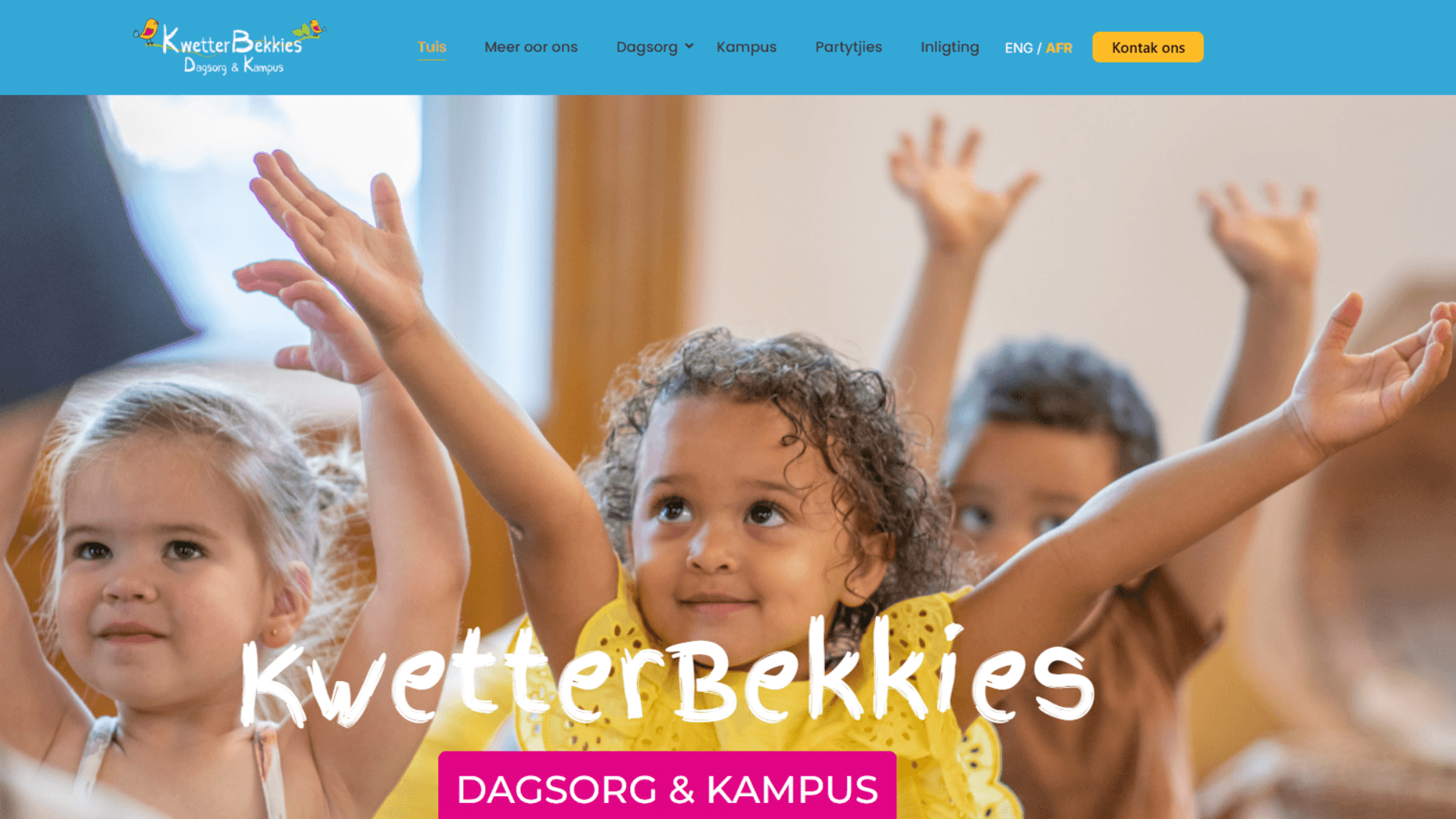
KwetterBekkies Daycare & Campus — Website Design Case Study About the Client KwetterBekkies Dagsorg & Kampus is a well-established daycare and preschool group serving families across Cape Town’s Northern Suburbs. Operating four branches — Uitzicht, Sonstraal Heights, Brackenfell and Durbanville — KwetterBekkies provides daycare and early childhood education for children from four months through to Grade R. Their philosophy centres on learning through play in a safe, nurturing, faith-based environment with small class groups and individual attention for every child. KwetterBekkies is a deeply community-rooted brand, trusted by Northern Suburbs families and built on warmth, care, and a genuine passion for early childhood development. The challenge was translating that warmth into a digital presence that speaks equally to Afrikaans and English-speaking parents across three locations. The Brief KwetterBekkies approached Webspace Design needing a complete website build that reflected their brand identity and served their bilingual community effectively. The primary requirements were clear, a professional, welcoming website that parents would trust immediately, full bilingual functionality in both English and Afrikaans, dedicated pages for each of the four branches, and a structure that made it easy for parents to find information about age groups, enrolment, facilities, and extracurricular activities. The site also needed to support local SEO for each branch location, ensuring KwetterBekkies appears when Northern Suburbs parents search for preschool and daycare options near them. The Challenge Building a bilingual website for a four-branch daycare and preschool presents specific challenges that a standard website build doesn’t encounter. Every page needed to exist in two language versions, Afrikaans as the primary language of the existing community and English for the growing number of English-speaking families in the Northern Suburbs. Content needed to feel natural in both languages rather than translated, reflecting the genuine warmth and personality of the KwetterBekkies brand in each. The four-branch structure required each location to have its own dedicated page with specific information about age groups accepted, facilities, and contact details, while maintaining a cohesive brand identity across all three. Parents needed to immediately understand which branch was most relevant to them and navigate directly to that information without confusion. What We Built Bilingual Website Architecture We built the site with a complete parallel language structure, every page available in both Afrikaans and English with a simple language toggle accessible from every page. The Afrikaans version serves as the primary site given the school’s roots and existing community, with the English version providing identical content and functionality for English-speaking families. Both versions are fully indexed by Google, meaning KwetterBekkies appears in search results for both Afrikaans and English daycare / preschool queries across the Northern Suburbs. Four-Branch Structure Dedicated pages were built for each branch, Uitzicht, Sonstraal Hoogte, Brackenfell and Campus (Durbanville) each covering the specific age groups accepted at that location, facilities available, and contact details. The branch structure allows each location to rank independently in local search results, appearing when parents search for preschools specifically in their suburb rather than just generically across Cape Town. Age Group Navigation The site organises its content around age groups, Babas and Peuters (4 to 24 months), Peuters and Kleuters (2 to 5 years, Grade RR), and Voorskoolfase (Grade R), making it immediately clear to parents which branches accept their child’s age group. This structure reduces friction in the enrolment enquiry process and improves conversion from visitor to contact. Extracurricular Activities Section KwetterBekkies partners with twelve extracurricular activity providers including Monkeynastix, Music Minds, Rugga Roots, and Clamber Club. A dedicated activities section showcases these partnerships, reinforcing the school’s commitment to holistic child development and providing parents with a complete picture of what their child’s experience at KwetterBekkies includes beyond the classroom. Party Venue Page A dedicated parties page was built to support KwetterBekkies’s facility hire offering, allowing parents to enquire about birthday parties and events separately from school enrolment. This creates an additional revenue stream from the website without cluttering the primary enrolment journey. Local SEO Foundation Each branch page was structured with local SEO signals targeting suburb-specific search queries — “preschool Brackenfell”, “daycare Sonstraal Hoogte”, “kleuterskool Uitzicht”, “preschool Campus” — in both English and Afrikaans. LocalBusiness schema was implemented for each branch location, Google Business Profile alignment was established, and the site was submitted to Google Search Console immediately after launch. KwetterBekkies now has a professional, welcoming digital presence that accurately reflects the warmth and quality of their schools. The bilingual structure ensures the site serves their full community — Afrikaans and English-speaking families without compromise to either experience. The four-branch architecture gives each location its own searchable identity while maintaining a cohesive brand across the group. Kwetterbekkies Website Kwetterbekkies Website Parents can find the information they need quickly, which branch accepts their child’s age, what the school offers, and how to make contact, and the enrolment enquiry process is clear and frictionless across both language versions. Visit the Kwetterbekkies Site

Answer Engine Optimisation, What It Is and Why You Need It
The way people search for information has changed more in the past two years than in the previous decade. Rather than typing keywords into Google and scanning a list of results, a growing number of people, including your potential clients, are asking direct questions to AI-powered tools and receiving direct answers. ChatGPT, Google’s AI Overviews, Perplexity, Claude, and Microsoft Copilot all operate this way. They don’t show you ten websites and let you choose. They synthesise information from across the web and give you one answer. This shift has created a new and increasingly important discipline in digital marketing: Answer Engine Optimisation, or AEO. If your website isn’t structured to be the source these AI tools draw from, you’re invisible in a growing and commercially significant part of the search landscape. Answer Engine Optimisation is reshaping how businesses get found online. Here’s what AEO is, how it connects to GEO, and what South African businesses need to do about it now. What Is Answer Engine Optimisation? Answer Engine Optimisation is the practice of structuring your website content so that AI-powered tools and search engines select it as the source for their direct answers. An answer engine is any platform that responds to a query with a synthesised answer rather than a list of links, Google AI Overviews, ChatGPT with web browsing, Perplexity, voice assistants like Siri and Google Assistant, and Bing’s AI-powered results all qualify. AEO is closely related to Generative Engine Optimisation (GEO), in fact the two terms are often used interchangeably, though there are subtle distinctions. GEO specifically targets AI-generated results within search engines like Google. AEO covers the broader ecosystem of AI answer tools including standalone AI assistants and voice search. The practical optimisation techniques for both are largely identical, which means doing one well does the other simultaneously. Read more about our GEO services → Why AEO Matters for South African Businesses in 2026 South African consumers are adopting AI search tools at the same rate as global markets. Google’s AI Overviews are active and appearing at the top of results for millions of queries across South Africa. ChatGPT and Perplexity have significant South African user bases. Voice search via mobile assistants, already dominant given South Africa’s mobile-first internet usage, is entirely answer-engine dependent. For Cape Town businesses specifically, this creates both a risk and an opportunity. The risk is that competitors who structure their content for AI citation are already capturing visibility you’re not seeing. The opportunity is that AEO adoption among South African SMEs is still low, most businesses are still optimising purely for traditional search rankings and haven’t adapted to the answer engine landscape. Moving now puts you ahead of the curve rather than catching up to it. How Answer Engines Decide Which Sources to Use Understanding why answer engines choose specific sources is the foundation of effective AEO. These systems don’t randomly select content, they evaluate specific signals to determine which websites are credible, relevant, and well-structured enough to be cited in their responses. Content that directly answers the question. Answer engines extract answers from pages that address the query clearly and immediately. Content that buries the answer three paragraphs in — after a long introduction and background context — is significantly less likely to be cited than content that leads with a direct, concise answer and follows with supporting detail. Structured data and schema markup. Schema markup is code that tells AI systems what type of content they’re reading. FAQPage schema, Service schema, Article schema, and LocalBusiness schema all provide machine-readable context that makes your content easier for AI to extract and cite accurately. Without schema, AI systems have to guess at your content’s structure and purpose. E-E-A-T signals. Experience, Expertise, Authoritativeness, and Trust are the four dimensions Google uses to evaluate content credibility. AI systems apply the same framework. Named authors with professional credentials, consistent business information, third-party reviews, and external profile verification all strengthen E-E-A-T signals that answer engines use to assess whether your content is worth citing. Topical authority. A website that covers a topic comprehensively, with multiple well-structured pages addressing different aspects of the same subject, is treated as more authoritative than a site with one shallow page on the topic. Building topical clusters around your core service areas is one of the most effective long-term AEO strategies. Technical accessibility. Answer engines can only cite content they can access. Fast loading speeds, clean robots.txt files that don’t block AI crawlers, mobile-responsive design, and accessible HTML structure are all prerequisites for AI citation. The Practical Difference Between AEO and Traditional SEO Traditional SEO and AEO share the same technical foundations but diverge in content strategy and measurement. Traditional SEO optimises for ranking position in a list of results, the goal is to appear as high as possible in the ten blue links below a search query. Success is measured by rankings, organic traffic, and click-through rates. AEO optimises for citation in a direct answer, the goal is to be the source the AI cites when it constructs its response. Success is measured by citation frequency, brand mentions in AI answers, and the quality of leads arriving from AI search channels. A business can rank on page one of Google’s standard results and still be completely absent from AI Overviews for the same queries. The reverse is also possible, a page with strong AEO signals can be cited in AI answers even without top-three standard rankings. Both matter and both require deliberate, parallel strategy. This is why Webspace Design treats AEO and GEO as core components of every SEO engagement rather than optional extras. The search landscape now has two distinct layers, traditional results and AI-generated answers — and competitive visibility requires presence in both. What AEO-Optimised Content Looks Like The structural principles of AEO-optimised content are specific and learnable. They’re not fundamentally different from good writing, they’re an application of good writing principles to the specific way AI systems consume and extract information. Answer-first structure. Every page and every section should
WordPress vs Wix vs Squarespace — Which Is Right for Your South African Business?
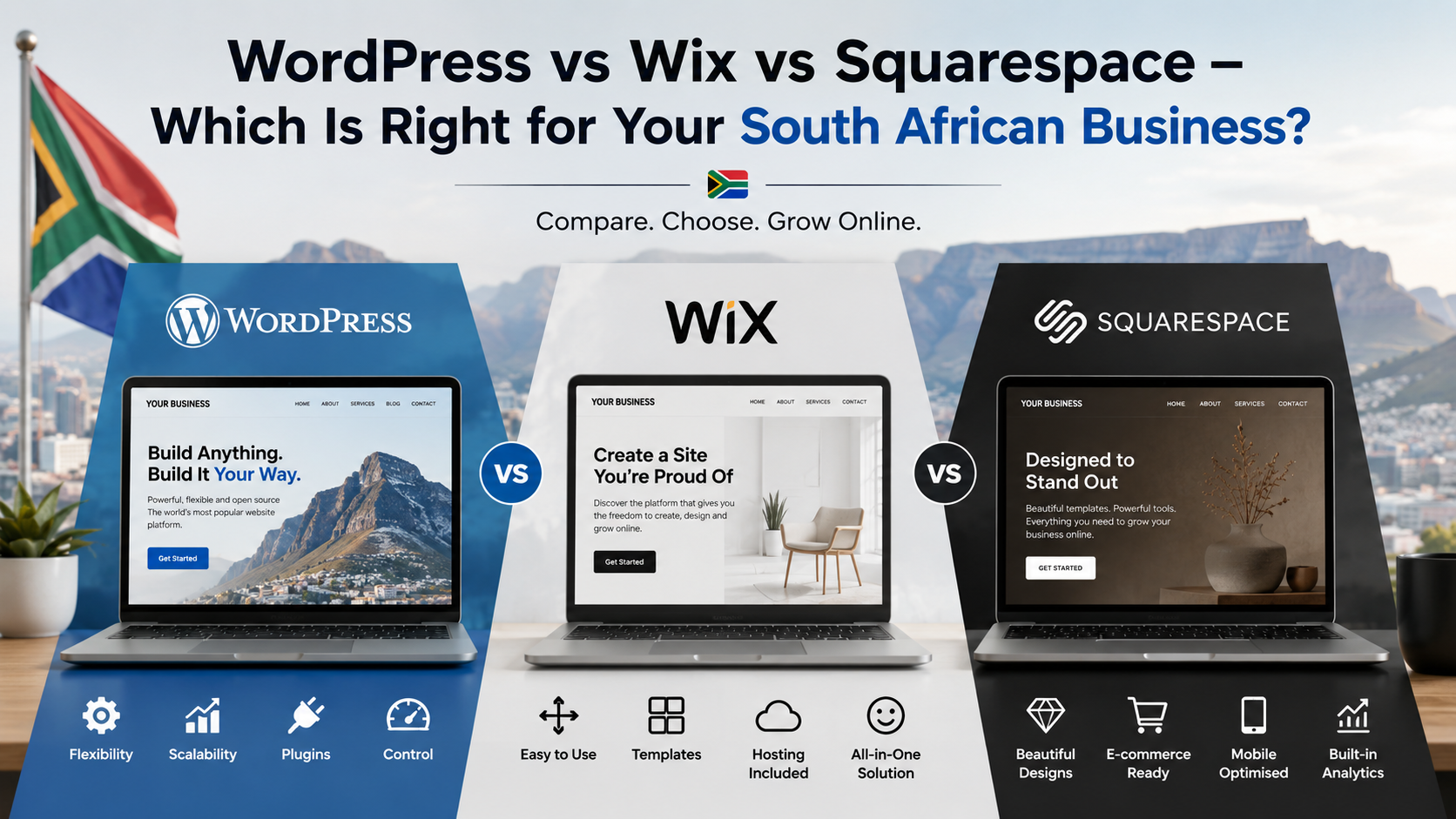
WordPress vs Wix vs Squarespace — Which Is Right for Your South African Business? Published: May 2026 | Reading time: 8 minutes If you’re building or rebuilding a business website in South Africa, the platform decision is one of the most consequential you’ll make, not because it determines how your site looks, but because it determines what your site can do, who controls it, and how it performs in search results over the long term. WordPress, Wix, and Squarespace are the three platforms most South African business owners consider. Each has genuine strengths. Each has real limitations. This article gives you an honest comparison based on what we’ve seen working and failing for Cape Town businesses across multiple industries. The Core Difference Between the Three Platforms Before comparing features, it’s worth understanding what each platform fundamentally is, because they were built for different purposes and that difference shapes everything else. WordPress is open-source software you install on your own hosting server. You own every file, every piece of content, and the entire codebase. WordPress.org powers over 40% of all websites on the internet including major news organisations, e-commerce platforms, and enterprise brands. It requires more initial setup than the alternatives but gives you complete control and unlimited flexibility. Wix is a cloud-based website builder where you design your site using a drag-and-drop interface and Wix hosts everything on their servers. Your website exists within Wix’s ecosystem — you don’t own the underlying files and you can’t move the site to a different hosting provider without rebuilding it from scratch. Squarespace is also cloud-based and similar to Wix in its hosted model, but targets a slightly more design-focused audience with a more refined set of templates and a cleaner interface. Like Wix, your site lives on Squarespace’s servers and cannot be exported in a usable form if you decide to leave. Ownership — Who Controls Your Website This is the most important factor that most platform comparisons understate. When you build a site on Wix or Squarespace, you are renting space in someone else’s ecosystem. Your content belongs to you, but the platform, the hosting, the infrastructure, and the ability to keep your site running all depend on continuing to pay Wix or Squarespace their monthly fee. If either company increases their pricing significantly, changes their terms, or in a worst-case scenario ceases operations, your website’s future is directly tied to their business decisions. You cannot take a Wix or Squarespace site and move it to a different provider, you would need to rebuild it entirely. WordPress operates on the opposite model. Your site is installed on your hosting account, which you own and pay for independently. Your theme, your content, your design files, and your database all belong to you. If you want to change hosting providers, move to a different developer, or take full control of your site, the process is straightforward. At Webspace Design we provide all clients with full access to their WordPress files and database on project completion, because your digital assets should belong to your business, not to us. For South African businesses that have invested in SEO, content, and brand equity through their website, the ownership question has direct commercial consequences. A domain and WordPress installation with three years of SEO history represents significant accumulated value. That value is portable on WordPress and effectively trapped on Wix or Squarespace. SEO Performance — Which Platform Ranks Better SEO is where the most significant practical differences between these platforms emerge and where the gap between WordPress and the alternatives is widest. WordPress gives you complete control over every technical SEO element, URL structure, title tags, meta descriptions, schema markup, page speed optimisation, heading hierarchy, robots.txt, sitemap configuration, and canonical tags. With a plugin like AIOSEO or Yoast, these are all manageable without technical expertise. More importantly, WordPress allows you to implement the full stack of structured data, LocalBusiness schema, FAQPage schema, Service schema, Person schema, that Google’s AI Overviews and traditional search ranking both depend on. The platform also integrates directly with Google Search Console and Google Analytics 4. Wix has improved its SEO capabilities significantly over the past few years and now supports basic on-page SEO, meta descriptions, alt text, and sitemaps. However it still has meaningful limitations, URL structures are less clean than WordPress, page speed performance is typically lower because of Wix’s rendering approach, and schema markup options are limited compared to WordPress. Advanced technical SEO, particularly the kind of structured data implementation that supports GEO and AI search visibility — is difficult or impossible to implement fully on Wix. Squarespace is similar to Wix in SEO capability — adequate for basic optimisation but significantly constrained for advanced implementation. Squarespace URLs include forced extensions and subfolder structures that are less optimal for SEO than WordPress’s clean URL approach. Schema markup options are very limited. Page speed performance has improved but still typically scores lower than well-optimised WordPress sites on Google’s Core Web Vitals. For any Cape Town business where search visibility is a priority, which should be every business, WordPress is the stronger choice. The difference matters most as your SEO strategy becomes more sophisticated. A business starting out may not notice the difference between platforms. A business twelve months into an active SEO and GEO programme will. Page Speed and Core Web Vitals Google measures and ranks your website based on Core Web Vitals, three metrics covering loading speed, visual stability, and interactivity. These measurements directly affect your search rankings and your user experience. A well-configured WordPress site consistently outperforms equivalent Wix and Squarespace sites on Core Web Vitals — particularly on mobile. WordPress allows you to install dedicated caching plugins, optimise your database, compress and convert images to WebP, defer non-critical scripts, and configure a CDN — all of which contribute to measurable speed improvements. With tools like LiteSpeed Cache and Cloudflare, a WordPress site on quality South African hosting can achieve mobile PageSpeed scores of 85 to 95. Wix and Squarespace

Best AI Assistants 2026 – Top 5 AI Tools for Work, Business & Productivity
The Top 5 AI Assistants in 2026: What They Do Best and Why It Matters for Business AI assistants have moved from experimental tools to core business infrastructure. In 2026, most professionals rely on at least one AI system daily for writing, research, coding, communication, or decision support. The market has stabilised around five major platforms that consistently dominate real-world usage: ChatGPT, Claude, Gemini, Microsoft Copilot, and Perplexity. These tools are not interchangeable. Each serves a different operational strength. Below is a practical breakdown of the top 5 AI assistants and where they fit into modern workflows. 1. ChatGPT (OpenAI) — The All-Round Business Assistant ChatGPT remains the most widely used AI assistant globally, with strong adoption across business, marketing, and technical environments. It is built for versatility and performs well across a broad range of tasks. Key benefits: Strong general reasoning and problem solving Multimodal input (text, images, voice, files) Useful for content creation, strategy, and communication Broad ecosystem of integrations and custom tools Suitable for both technical and non-technical users ChatGPT is often the default choice for businesses because it handles multiple workflows in one platform without requiring specialist tools. Best use cases: Content writing and marketing Business planning and ideation Coding assistance Document summarisation General productivity support It is considered the “default operating layer” for many modern workflows. Read our article on how to get your Website in AI Searches 2. Claude (Anthropic) — The Deep Thinking and Writing Specialist Claude is known for producing structured, high-quality reasoning output and handling long-form documents effectively. It is widely used in professional environments where accuracy and clarity matter. Key benefits: Strong long-form writing capability High-quality reasoning and structured responses Excellent for analysing long documents and reports Large context handling for complex tasks Strong consistency in tone and instruction following Claude is frequently preferred for analytical work where precision is more important than speed or multimodal features. Best use cases: Legal or contract analysis Business documentation Strategy writing Research synthesis Technical explanations It performs particularly well in roles requiring structured thinking and documentation. 3. Google Gemini — The Ecosystem-Integrated AI Assistant Gemini is tightly integrated into Google’s ecosystem, making it a strong productivity tool for users already working inside Google Workspace. Key benefits: Deep integration with Gmail, Docs, Drive, and Calendar Strong real-time information access capabilities Multimodal input (text, images, and more) Useful for productivity inside Google tools Strong context handling across documents and files Gemini is designed to reduce friction inside day-to-day workflows by connecting directly to the tools businesses already use. Best use cases: Email and calendar management Document summarisation Workspace productivity Research and information retrieval Internal business coordination It is strongest in environments already built around Google infrastructure. 4. Microsoft Copilot — The Enterprise Productivity Layer Copilot is designed for organisations operating within Microsoft 365 environments. It integrates directly into Word, Excel, PowerPoint, Outlook, and Teams. Key benefits: Native integration into Microsoft Office suite Strong enterprise adoption Useful for structured reporting and documentation Assists with spreadsheets, presentations, and emails Designed for workplace productivity at scale Copilot is less of a standalone chatbot and more of a workplace assistant embedded into enterprise software. Best use cases: Corporate reporting Financial modelling in Excel Presentation creation Internal communication drafting Enterprise workflow automation It is most valuable in structured corporate environments. 5. Perplexity AI — The Research and Search-Based Assistant Perplexity is positioned differently from the others. It functions as an AI search engine that prioritises real-time information and cited sources. Key benefits: Provides sourced answers with citations Strong real-time web search capability Ideal for fact-checking and research Useful for market and competitor analysis Reduces misinformation risk through references Perplexity is widely used by analysts, marketers, and researchers who need verified information rather than conversational output. Best use cases: Market research Competitor analysis Fact-checking Trend monitoring Academic-style research support It is the closest AI tool to a “live research assistant”. How These Tools Actually Get Used In practice, most professionals do not rely on one AI assistant. They use a combination: ChatGPT for general execution Claude for structured thinking Gemini for Google ecosystem workflows Copilot for enterprise productivity Perplexity for research and verification This reflects a broader shift in how AI is being adopted: not as a single tool, but as a layered system of intelligence. What This Means for Businesses For companies, the rise of specialised AI assistants signals a shift in operational structure: Less time spent on manual drafting and coordination Faster research and decision-making cycles Increased automation of routine communication Greater dependency on AI-integrated workflows Need for structured digital systems that AI can interact with Businesses that adapt early to these systems are already improving efficiency across marketing, operations, and strategy functions. AI assistants in 2026 are no longer experimental tools. They are operational systems embedded into daily business activity. Each platform has a clear role: ChatGPT leads in general usability Claude leads in structured reasoning Gemini leads in ecosystem integration Copilot leads in enterprise productivity Perplexity leads in research accuracy The real advantage is not choosing one tool, but understanding how each fits into a broader workflow system that supports business execution, speed, and decision quality.

Google Remy AI Agent Explained
Google Tests “Remy” AI Agent for Gemini: A Shift Toward Task-Based AI Systems Google is reportedly testing a new AI system called “Remy”, an internal personal agent designed to extend the capabilities of Gemini beyond conversation and into task execution. According to a report by Business Insider, the tool is being trialed in a staff-only version of the Gemini app and is described in internal documentation as a “24/7 personal agent” capable of acting on behalf of users across work and daily activities. The system is part of a wider push by Google to move artificial intelligence from passive response models into active task-based agents that can perform real-world actions. What Is Google’s “Remy” AI Agent? Remy is an internal AI agent being tested by Google employees. While details remain limited, the system is designed to expand the role of Gemini from a conversational assistant into an execution-based digital agent. Instead of only responding to prompts, Remy is intended to carry out tasks such as: Managing work-related actions Supporting daily scheduling and coordination Integrating across connected digital services Learning user preferences over time Handling multi-step workflows The internal positioning of Remy suggests a shift toward a more autonomous AI assistant that can operate continuously in the background. A Google spokesperson reportedly declined to comment on the project, and no public release timeline has been confirmed. From Chatbots to AI Agents Google has been steadily evolving Gemini into a more functional system that interacts with real applications and services. Current Gemini capabilities already include integrations with: Google Workspace (Gmail, Calendar, Docs, Drive, Tasks, Keep) YouTube and Google Photos Android system tools Third-party services such as WhatsApp, Spotify, and GitHub These integrations allow users to complete tasks such as drafting emails, creating calendar events, summarising documents, or controlling smart devices. Remy appears to extend this model further by introducing a more persistent, task-driven agent that can operate across multiple workflows rather than responding to single commands. Find out more about our GEO Services Why This Matters for Business Users For businesses, the shift toward AI agents like Remy signals a structural change in how productivity tools will function. Instead of using AI for isolated tasks, companies may soon rely on agents that: Manage routine administrative workflows Coordinate schedules and communications Track and execute recurring tasks Support internal knowledge access Automate multi-step operational processes This has direct implications for productivity systems, corporate workflows, and digital infrastructure planning. Businesses that depend heavily on scheduling, communication, or document-heavy processes may see the most immediate impact as AI agents become more capable. Control, Privacy, and Oversight As AI agents become more autonomous, control and transparency remain central concerns. Google’s existing Gemini systems already include privacy and activity controls that allow users to: Review and delete AI activity history Adjust auto-delete settings Manage data used for personalisation Control connected app access Google has also published internal research principles for AI agents, including: Clearly defined human oversight Limited and controlled system permissions Observable and auditable actions Restricted access based on risk level These frameworks reflect an industry-wide focus on ensuring AI agents operate within controlled boundaries, particularly when interacting with sensitive data or external applications Unanswered Questions About Remy Despite early reporting, several key details about Remy remain unclear. There is no public information confirming: Whether Remy will be released to consumers Which Google services are included in the test environment The level of autonomy the system operates under Whether user approval is required for actions How actions are logged or audited Which Gemini model version powers the system These unknowns suggest Remy is still in early internal testing, with Google evaluating how far task automation should extend within its ecosystem. The Rise of AI Agents in the Industry Remy is not emerging in isolation. The broader technology sector is rapidly moving toward agent-based AI systems. Competitors and research labs are exploring similar concepts, including autonomous assistants capable of: Responding to emails on behalf of users Conducting research tasks independently Managing multi-step workflows Interacting with external applications This shift reflects a transition from “prompt-based AI” to “action-based AI”, where systems are no longer limited to generating responses but are expected to execute outcomes. Industry discussions have also highlighted growing focus on governance, transparency, and permission control as these systems become more capable. If systems like Remy become part of mainstream platforms, businesses will need to reassess how they structure digital workflows. Potential impacts include: Reduced reliance on manual administrative processes Faster execution of routine operational tasks Increased integration between AI and enterprise systems Greater emphasis on data governance and access control New expectations around workplace automation For service-based industries, including commercial real estate, consulting, and professional services, AI agents could significantly reshape how internal operations and client workflows are managed. Google’s reported testing of Remy signals a clear direction in AI development: moving from conversational tools toward fully operational digital assistants. While still in internal testing, the concept reflects a broader industry shift toward systems that do not just respond, but act. For businesses and digital agencies, this evolution reinforces the importance of building systems, websites, and workflows that are compatible with AI-driven environments where automation, integration, and structured data will play a central role. As AI agents become more capable, the line between software tools and active digital employees continues to narrow.

Corporate Real Estate Advisory
From Invisible to AI-Cited: Website Design, SEO & GEO for Corporate Real Estate Solutions When Google’s AI is asked about corporate real estate services in South Africa, Corporate Real Estate Solutions is cited first. This is how we built that position from the ground up.Visit the live site → corporaterealestate.co.za The Client Corporate Real Estate Solutions is a specialist advisory firm built exclusively for corporate occupiers, investors, and property owners navigating South Africa’s commercial property market. Unlike traditional property brokers, their mandate is singular, aligning real estate decisions with their clients’ business objectives. Their services span the full occupier lifecycle: Stay vs Go analysis, tenant representation, lease negotiation and renewal, workspace optimisation, property acquisitions, and portfolio strategy. Their clients are CFOs, operations directors, and executives making commercial property decisions with significant financial and operational consequences. This is not a business that sells space. It is a business that sells strategic clarity in one of the most complex and financially consequential decisions a corporate occupier makes. The brief required a digital presence that reflected exactly that. The Challenge Before any design or content work began, we researched the competitive landscape, locally across South Africa and internationally, examining how leading occupier advisory and tenant representation firms position themselves in mature markets like the UK, Australia, and the United States. That research revealed a clear and exploitable gap. The South African commercial real estate market defaults overwhelmingly to a listings and brokerage presentation, even among firms offering advisory services. The language, the visual conventions, and the positioning of local players reflected transaction-focused brokerage rather than strategic advisory. International occupier advisory firms, particularly in the UK and Australia, present themselves very differently. Strategy-first language. C-suite oriented messaging. A clear articulation of independence from landlord interests. Data-led service framing. Executive-ready outputs. The opportunity was to position Corporate Real Estate Solutions the way their international counterparts do, as strategic partners to corporate occupiers, not as property intermediaries operating in the occupier’s interest. That single repositioning decision shaped every subsequent choice across the project. The Strategic Approach Corporate real estate advisory is a sector where credibility is the primary conversion driver. A CFO evaluating advisors for a multi-million rand lease negotiation or relocation project does not choose based on price. They choose based on perceived authority, strategic depth, and the confidence that the firm they engage genuinely understands the complexity of what they’re dealing with. The existing digital presence did not communicate any of that. The visual identity was dated in a way that created an immediate credibility gap, a firm operating at a sophisticated advisory level presenting itself with the digital presence of a conventional property agency. The positioning was unclear, failing to distinguish the advisory mandate from traditional brokerage in a way corporate decision-makers would immediately recognise and value. Beyond the brand and design problem, the site had no SEO foundation, no content architecture targeting the specific queries corporate occupiers use when researching advisory services, and no presence in the AI-generated search results that are increasingly the first stop for research-oriented professional queries. The business was invisible to the audience it needed to reach, not because the service wasn’t strong enough, but because the digital presence wasn’t built to be found. What We Built Brand Identity and Positioning The brand was rebuilt around a single, powerful positioning statement: Strategy-First CRE Advisors. Not brokers. Every word of that positioning was deliberate. “Strategy-first” addresses the primary objection a corporate occupier has about engaging any property firm, that their advisor’s incentives are misaligned. “Not brokers” makes the distinction explicit and immediate, eliminating ambiguity for a CFO who has dealt with conflicted brokerage advice before. See Brand Strategy Services The visual identity was developed to reflect international advisory-level credibility, clean, authoritative, and designed to sit comfortably alongside the corporate environments the firm’s clients operate in. The tone of voice was calibrated for C-suite decision-makers: direct, confident, data-oriented, and free of the property industry clichés that undermine credibility with sophisticated buyers. Website Design and Architecture The site was built on WordPress using Elementor, structured around the firm’s core service lines as clearly defined, standalone pillars, each presented as a dedicated service page targeting the specific search queries corporate occupiers use when researching that particular need. The flagship service — Stay vs Go Analysis — was positioned as the hero offering, with a sample analysis output showing a projected annual saving of R985,000 presented directly on the homepage. This was a deliberate conversion decision: corporate buyers respond to specificity and financial clarity, not general descriptions of capability. Showing the output of the analysis, not just describing it. SEO Architecture The entire site structure was built around a topic cluster model targeting the specific terminology corporate occupiers use, not generic property terms, but the precise language of the occupier advisory space: stay vs go analysis, tenant representation South Africa, corporate real estate advisory, lease renewal negotiation, workspace optimisation, commercial property portfolio strategy. Each service page was optimised for a specific keyword cluster, with supporting content in the news and insights section building topical authority across the broader occupier advisory space. The SEO foundation was embedded in the build, not retrofitted afterward. GEO Optimisation — Generative Engine Optimisation Alongside traditional SEO, we implemented a GEO strategy specifically designed to establish Corporate Real Estate Solutions as a cited authority in AI-generated search responses. This involved structured data implementation, authority-led content formatting, entity signal building across the site and wider digital footprint, and content structured specifically to be retrieved by AI platforms when generating responses to corporate real estate queries. The content across the site was written to demonstrate genuine expertise in the occupier advisory space, not generic property content, but specific, data-referenced, strategically framed content that AI platforms identify as authoritative source material. The Result When Google’s AI is asked “What are corporate real estate services?”, Corporate Real Estate Solutions is cited first. That is not a vanity metric. For a business whose ideal clients are CFOs and operations directors who research extensively before engaging any advisor, appearing

How to Convert Website Visitors into Clients
How to Convert Website Visitors into Clients Published: May 2025 | Updated: May 2026 Getting traffic to your website is only half the battle. Most Cape Town businesses invest in SEO, social media, and advertising to bring visitors to their site and then lose them because the website itself isn’t doing its job. Converting visitors into clients requires a different set of decisions than attracting them. This article covers the specific changes that make the biggest difference to your conversion rate based on what we see working across the businesses we build and manage websites for. Why Most Business Websites Fail to Convert The most common conversion problem isn’t a lack of traffic. It’s a lack of clarity. Visitors arrive on a page and within seconds can’t answer three basic questions: what does this business do, is it relevant to me, and what should I do next? When those questions go unanswered, visitors leave regardless of how much you spent on design or advertising to get them there. The second most common problem is a lack of trust. Cape Town consumers are increasingly cautious online. They compare businesses carefully, read reviews, look for evidence of real expertise, and evaluate whether a business feels credible before making contact. A website that doesn’t actively build trust at every stage of the visitor journey will underperform regardless of its visual quality. Understanding these two root causes, lack of clarity and lack of trust, reframes every conversion decision you make. Start With Messaging, Not Design Before optimising your design, CTAs, or page speed, your messaging needs to be correct. Your homepage headline should immediately communicate what your business does and who it helps. Not your business name. Not your tagline. The specific outcome you deliver for specific people. Compare these two homepage headlines: “Welcome to Cape Town’s Premier Digital Solutions Provider” — this says nothing useful and could apply to any agency. “We build websites for Cape Town businesses that generate qualified leads, not just traffic” — this is specific, benefit-led, and immediately relevant to the right visitor. The second version doesn’t need anyone to scroll further to understand whether this business is relevant to them. That immediate clarity is the single most impactful conversion change most businesses can make and it costs nothing to implement. Design for Decision Making — Not Aesthetics A website designed purely to look impressive is not the same as a website designed to convert. Every design decision should support a visitor’s ability to find what they need, evaluate whether it’s right for them, and take the next step with confidence. This means your navigation should reflect how visitors think about your services not how you’ve categorised them internally. It means your most important conversion pages your services, your pricing, your contact page should be reachable within two clicks from anywhere on the site. It means your CTAs should be specific and action-oriented rather than generic. “Request a Proposal” converts better than “Contact Us”. “Get a Free Website Audit” converts better than “Learn More”. For service businesses in Cape Town specifically, the decision to make contact is rarely impulsive. Visitors typically visit two or three times before enquiring. Your design should accommodate this making it easy to return, easy to find the information that answers their remaining questions, and easy to act when they’re ready. Build Trust at Every Stage Trust is not built by a testimonials section alone. It’s built by the cumulative impression your website creates across every element a visitor encounters. Named team members with real bios build more trust than “our team”. Specific client case studies with real outcomes build more trust than generic service descriptions. A Google Business Profile with recent five-star reviews builds more trust than a stock photo of a handshake. For South African businesses this is particularly important. Local consumers are accustomed to evaluating businesses carefully before committing — especially for professional services, digital marketing, and any engagement requiring an ongoing relationship. Your website should leave a visitor with no remaining uncertainty about whether you’re credible, experienced, and capable of delivering what you promise. The specific trust signals that convert best for service businesses are real client reviews with names, industry-specific case studies showing actual outcomes, a named founder or team with visible credentials, clear pricing or pricing transparency, and a straightforward process that explains exactly what working with you looks like. Your Calls to Action Need to Be Specific and Earned Most websites place a “Contact Us” button in the top right corner and consider conversion covered. This misunderstands how visitors make decisions. A visitor who has just landed on your homepage for the first time is not ready to contact you. They haven’t established enough trust or understood enough about what you offer to take that step. Effective CTAs match the visitor’s stage in the decision process. Early in the journey, first or second visit, the right CTA is low commitment: “See our work”, “Read our guide”, “Get a free audit”. Later in the journey, third visit, having read your services and case studies — a direct “Request a Proposal” or “Book a Strategy Call” becomes appropriate. Mapping your CTAs to the visitor’s decision journey rather than placing the same CTA everywhere dramatically improves conversion rates — because you’re asking for the right action at the right moment rather than asking for too much too soon. Conversion and AI Search Visibility Are Now Connected There is a newer dimension to website conversion that most Cape Town businesses haven’t considered yet. Google’s AI Overviews, the AI-generated answers at the top of search results, are increasingly the first point of contact between your business and a potential client. A visitor who sees your business cited as an authoritative source in an AI Overview arrives on your website with significantly higher trust and intent than a visitor who found you through a standard search result. This means optimising your website for AI search visibility is now a conversion strategy, not just an SEO strategy.

A Guide to Building an Online Presence That Works
Most businesses know they need an online presence. Far fewer understand what makes one effective. A website alone is not enough. Social media pages are not enough. Posting content occasionally is not enough. Businesses often spend money on websites, branding, SEO, and digital marketing without a clear strategy connecting everything together. An online presence should help your business achieve measurable outcomes. It should generate enquiries, build trust, support sales conversations, strengthen brand visibility, and position your business clearly within your market. If your digital presence does not contribute to those objectives, it becomes an expense instead of a business asset. Your Website Is the Foundation The problem is that many businesses approach digital marketing in fragments. They hire a web designer to build a site, outsource social media to another provider, experiment with online advertising, and publish occasional blog content without any real structure behind it. This creates disconnected activity instead of a cohesive online strategy. A strong online presence starts with positioning. Before building a website or running ads, you need clarity around who you serve, what problems you solve, and why customers should choose your business instead of competitors. Many websites fail because they focus too much on the business itself and not enough on the customer’s needs. Read our article on SEO vs GEO When someone visits your website, they should immediately understand what your business does, who it helps, and what action they should take next. Confusing messaging is one of the biggest reasons websites underperform. Businesses often try to say too much at once, which weakens clarity and reduces conversions. Your website remains the foundation of your digital presence. Social media platforms change constantly, advertising costs increase, and algorithms shift without warning. Your website is the one platform your business fully controls. It should function as a sales tool, credibility platform, and lead generation asset. Trust Is the Most Overlooked Element One of the most overlooked elements of a successful online presence is trust. Customers are more cautious online than ever before. They compare businesses carefully before making decisions. This means your digital presence must reduce uncertainty at every touchpoint. Professional branding, clear messaging, client reviews, case studies, testimonials, and real business information all contribute to trust. Businesses that lack these credibility indicators often struggle online regardless of how much traffic they generate. A website should show that real people, real experience, and real results exist behind the business. A modern business website must load quickly, work properly on mobile devices, and provide a clear user experience. Many businesses still lose customers because of slow websites, outdated layouts, broken pages, or confusing navigation. Users form opinions within seconds. If your website feels unprofessional or difficult to use, trust declines immediately. Design matters, but strategy matters more. A visually attractive website that generates no leads still fails commercially. Your website should guide visitors toward meaningful actions such as making contact, requesting a quote, booking a consultation, or completing a purchase. One of the most overlooked elements of a successful online presence is trust. Customers are more cautious online than ever before. They compare businesses carefully before making decisions. This means your digital presence must reduce uncertainty. Professional branding, clear messaging, client reviews, case studies, testimonials, and real business information all contribute to trust. Businesses that lack credibility indicators often struggle online regardless of how much traffic they generate. A website should show that real people, real experience, and real results exist behind the business. SEO Has Changed: Quality Now Beats Volume Search engine optimisation also plays a major role in long-term online visibility. SEO is not simply about ranking for keywords anymore. Google now prioritises expertise, usefulness, trust, and user satisfaction. Generic content written purely for rankings performs poorly compared to content that demonstrates real experience and practical value. Many businesses publish large volumes of low-quality blog posts expecting traffic growth. This strategy worked years ago but has become far less effective. Google filters repetitive and generic content aggressively. Publishing fewer but stronger articles usually produces better results than flooding a website with weak content. Effective content should answer real customer questions. It should solve problems, explain processes, address objections, and provide practical insights. Businesses that share useful information consistently position themselves as trusted providers within their industries. Your online presence should also support the customer journey properly. Most people do not become customers immediately after discovering a business online. They research, compare, read reviews, browse services, and evaluate credibility before making contact. Every part of your digital presence should help move potential customers closer to a decision. Social Media Should Support Your Strategy Social media can support your online presence when used correctly. However, many businesses approach it without direction. Posting random graphics or motivational quotes rarely creates meaningful business outcomes. Social media should reinforce your positioning, demonstrate expertise, and keep your business visible to your audience between active sales conversations. Consistency matters more than volume. Businesses often start social media campaigns enthusiastically and then disappear for months. Inconsistent activity weakens brand perception. A smaller amount of focused, useful content published consistently usually performs better than high-volume posting without strategy. Read more about social media management → Paid advertising can accelerate visibility, but it cannot fix weak foundations. Many businesses waste money on Google Ads or social media advertising because their websites and messaging are not ready to convert visitors. Before investing heavily in advertising, ensure your website, offer, and positioning are strong enough to support lead generation effectively. Your online reputation also matters significantly. Reviews, testimonials, and public feedback influence customer decisions heavily. Businesses should actively encourage satisfied clients to leave reviews on platforms such as Google. Responding professionally to reviews also demonstrates credibility and customer care. Another important factor is local visibility. Many South African businesses underestimate the value of local SEO. Optimising your business for location-based searches can generate highly relevant traffic. This includes maintaining an updated Google Business Profile, using local keywords naturally, and creating content relevant to your area or market. Businesses should also pay attention to technical

AI Search Visibility Guide: How to Get Your Website Used in AI Results
AI Search Visibility Guide: How to Get Your Website Used in AI Results What is AI search visibility? AI search visibility is your website’s ability to appear in answers generated by AI systems such as Google SGE and ChatGPT. These systems do not rank pages in a list. They: read multiple sources extract key information generate a direct answer Your goal is not only to rank.Your goal is to be used as a source. How AI search is different from traditional SEO Traditional SEO focuses on: rankings backlinks keywords AI search focuses on: clarity structure authority usefulness A page can rank well but still not be used in AI answers. AI systems select content that is: easy to understand clearly structured directly answers questions Step 1: Define your topic clearly Every page must answer one core question. Example: Bad: “Marketing services and digital growth solutions” Clear: “What does a digital marketing agency do?” Start your page with a direct answer. This improves: indexing AI extraction user clarity Step 2: Use answer-first content Do not build up slowly. Start with the answer, then expand. Example: Question: What is SEO?Answer: SEO is the process of improving a website’s visibility in search engines to attract organic traffic. Then explain further. This structure is what AI systems extract. See our AI SEO Services Step 3: Structure your content properly Use clear headings: H1 → main topic H2 → subtopics H3 → supporting details Keep paragraphs short. Avoid: long text blocks mixed topics unclear sections Structure improves: crawlability readability AI interpretation Step 4: Build topical authority AI systems prefer websites that show depth in a subject. You should group content into clusters: Example for your business: Website Design SEO Social Media Marketing Digital Strategy Each topic should have: a main service page supporting blog posts Then link them together. This tells search engines: → you are a specialist, not a generalist Step 5: Use internal linking correctly Every page should connect to others. Example: Blog → links to service page Service page → links to blog content This helps: distribute authority improve indexing guide AI systems through your content Step 6: Use structured data (schema) Schema helps search engines understand your content. Use: Blog posts → BlogPosting schema Service pages → Service schema Homepage → Organization + LocalBusiness This improves: content classification indexing accuracy AI usage Step 7: Focus on clarity, not volume Publishing more content does not improve visibility. AI systems prefer: fewer high-quality pages clear, structured content direct answers Avoid: thin blog posts repeated content generic topics Step 8: Improve content relevance Each page must match search intent. Ask: What is the user trying to find? Does this page answer it directly? If not, rewrite it. Step 9: Keep content updated AI systems prefer current information. Update pages by: improving structure adding new insights refining explanations Then update your dateModified. Step 10: Align content with business goals Your content should support your services. Example: A blog post on SEO should: → link to your SEO service page This turns traffic into leads. Common mistakes to avoid Writing long introductions without answers Mixing multiple topics on one page Creating pages with little unique value Ignoring internal linking Using inconsistent structure What AI systems look for AI search systems select content that is: clear structured accurate relevant connected to a strong website If your content meets these criteria, it has a higher chance of being used in answers. Final takeaway AI search visibility is not about ranking alone. It is about: being understood being trusted being selected as a source If your content is clear, structured, and aligned with user intent, your website will perform better in both traditional search and AI-driven results.

How to Appear in Google’s AI Overviews | Cape Town GEO Guide
If your business has invested in SEO over the past few years, you’ve likely noticed something shifting in how Google presents search results. The familiar list of blue links is increasingly being replaced, or pushed down by a block of AI-generated text at the top of the page. Google calls this AI Overviews, and it’s changing the rules of search visibility in a fundamental way. The businesses appearing in those AI-generated answers aren’t there by accident. They’ve been optimized for it. This article explains exactly what’s changed, why it matters for your business, and the specific steps you can take to improve your chances of being cited in Google’s AI search results. What Are Google AI Overviews and Why Do They Matter? Google AI Overviews are AI-generated summaries that appear at the top of search results for millions of queries. Instead of showing you ten websites and letting you choose, Google now reads those websites, synthesizes the information, and presents a direct answer often without the user needing to click anything. For business owners, this creates both a challenge and an opportunity. The challenge: if your website isn’t being cited as a source, you’re losing visibility to competitors who are. The opportunity: most businesses haven’t adapted their content and website structure to target AI Overviews yet, which means early movers gain a significant advantage. This is where Generative Engine Optimisation — or GEO — comes in. What Is GEO and How Is It Different From Traditional SEO? Traditional SEO focuses on ranking your website in the list of blue link results below the AI Overview. GEO focuses on getting your website cited within the AI Overview itself — the block of text that now sits above everything else. The two disciplines overlap significantly, but GEO requires some specific optimizations that traditional SEO doesn’t prioritize: Answer-first content structure. AI systems scan your page and extract the most direct, clear answer to a query. If your content buries the answer three paragraphs in, AI will find a competitor who leads with it. Every piece of content on a GEO-optimized site answers the primary question within the first 150 to 200 words. Structured data and schema markup. Schema markup is code added to your website that tells Google’s AI exactly what type of content it’s reading — whether that’s a service description, an FAQ answer, a business location, or a named expert’s biography. Without schema, AI has to guess. With schema, you’re handing it the answer labelled and ready. E-E-A-T signals. Google’s AI is trained to cite sources it considers credible. E-E-A-T stands for Experience, Expertise, Authoritativeness, and Trust — and Google evaluates these signals through named authors, professional credentials, consistent business information, and third-party references like reviews and directory listings. FAQ content blocks. AI Overviews pull heavily from FAQ-style content because it’s pre-structured as questions and answers — exactly the format AI needs to construct its responses. A well-written FAQ section with FAQ Page schema is one of the most reliable ways to get cited in AI search results. Why Local Businesses in South Africa Need to Act Now AI Overviews are still relatively new in South Africa, which means most local businesses haven’t optimized for them yet. For Cape Town business owners specifically, this is a window of opportunity that won’t stay open for long. Consider what happens when a potential client searches “digital marketing agency Cape Town” or “best SEO services South Africa.” If Google’s AI Overview cites your competitor and not you, that prospect forms an immediate impression — before they’ve seen a single website. Your competitor becomes the credible authority by default. The businesses that move first on GEO will own those citation spots. The businesses that wait will spend the next few years trying to displace them. Five Steps to Improve Your AI Search Visibility 1. Audit your schema markup The first step is understanding what structured data your website currently has — and what’s missing. At minimum, a GEO-ready website needs Local Business schema (confirming your business name, address, phone number, and service area), Organization schema (confirming your brand identity and social profiles), FAQ Page schema on every service page, and Person schema if you have named experts or team members whose credibility supports your authority. You can check your current schema using Google’s Rich Results Test at search.google.com/test/rich-results, or the Schema Markup Validator at validator.schema.org. Both are free and will show you exactly what’s in place and what’s missing. 2. Add FAQ sections to every service page Each of your service pages should have a dedicated FAQ section at the bottom, covering the questions your ideal clients actually ask. These questions should match the natural language your audience uses when searching — not industry jargon. Each answer should be direct, self-contained, and under 150 words. Add FAQ Page JSON-LD schema to wrap the section and you’ve given Google’s AI a ready-made citation source every time someone searches a relevant question. 3. Build your E-E-A-T foundation Google’s AI prioritizes content it can attribute to a credible, named source. This means your website needs a real About page with named team members, their credentials, and their areas of expertise. It means author bylines on every blog post, linking back to a detailed author bio. It means your Google Business Profile is complete, active, and consistent with the information on your website. And it means accumulating genuine client reviews both on Google and on your website. 4. Restructure your content for answer-first delivery Go through your existing service pages and blog posts and ask one question about each: does this content answer the primary query in the first paragraph? If the answer is no, restructure it. Lead with the direct answer, then follow with the supporting detail, context, and nuance. This is the opposite of how most marketing copy is written which typically builds to the answer, but it’s exactly how AI-friendly content needs to work. 5. Verify AI crawler access This is the step most businesses overlook entirely. Several popular website

What is GEO and How Is It Different from Traditional SEO?
What Is Generative Engine Optimization (GEO)? Search is changing. For more than two decades, businesses focused on ranking in search engines. The objective was straightforward. Create content, improve rankings, attract visitors, and generate enquiries. Today, search behaviour looks different. People increasingly ask questions directly to artificial intelligence platforms such as ChatGPT, Google AI Overviews, Gemini, Claude, and Perplexity. Instead of displaying a list of links, these systems generate answers by analysing information from multiple sources and presenting a consolidated response. This shift has created a new challenge for businesses. Ranking on Google is no longer enough. Your content must also be understood, trusted, and selected by artificial intelligence systems. This is where Generative Engine Optimization, commonly referred to as GEO, becomes important. Google is no longer enough. Generative Engine Optimization is the process of structuring websites and content so artificial intelligence systems can understand, interpret, reference, and cite information when generating answers for users. While Search Engine Optimization focuses on improving rankings in search engine results pages, GEO focuses on increasing the likelihood that your content will appear inside the answer itself. At Webspace Design and Marketing, we have seen a growing number of businesses receive visibility through AI generated search experiences. In many cases, the websites being referenced are not necessarily the websites ranking in the first position. The content being selected is often the content that provides the clearest answer, demonstrates expertise, and covers a topic comprehensively. Understanding this difference is becoming increasingly important for businesses that rely on organic visibility. What Is Generative Engine Optimization What Is Generative Engine Optimization What Is Generative Engine Optimization Why GEO Matters Artificial intelligence search platforms are changing how people discover information. A business owner looking for SEO services may no longer search through ten websites before making a decision. Instead, they may ask ChatGPT to recommend SEO agencies in Cape Town. A property investor may ask Gemini to explain commercial property market trends. A marketing manager may ask Google AI Overviews to compare website design providers. In each case, the AI platform generates an answer. The businesses that appear in those answers gain visibility before a user even visits a website. This creates a new opportunity and a new challenge. Your content must be structured in a way that allows artificial intelligence systems to understand what you do, who you serve, where you operate, and why your expertise should be trusted. If those signals are unclear, your content becomes less likely to be selected. What Is the Difference Between GEO and SEO? Search Engine Optimization and Generative Engine Optimization work together, but they focus on different outcomes. SEO aims to improve rankings in search results. GEO aims to improve visibility inside AI generated answers. Traditional SEO focuses on keywords, backlinks, technical performance, page speed, internal linking, and search intent. These factors remain important because search engines still rely on them to determine authority and relevance. GEO introduces an additional layer. Artificial intelligence systems must understand the meaning of content. They must identify relationships between concepts, businesses, locations, services, industries, and topics. They must determine whether a source is trustworthy enough to reference. This means content must move beyond keyword targeting and focus on topic coverage, expertise, clarity, and context. From our experience working with businesses across South Africa, one of the most common mistakes we see is content that targets keywords without fully answering the questions users are asking. This type of content may rank, but it often struggles to become a source for AI generated answers. How Artificial Intelligence Search Systems Select Sources One of the most common questions we receive is whether AI platforms simply use the highest ranking websites. The answer is no. Artificial intelligence systems evaluate a range of signals when determining which content to use. They look for clear definitions, direct answers, topical authority, factual consistency, entity relationships, structured information, and evidence of expertise. For example, if someone asks, “What is the difference between SEO and GEO?”, an AI platform may review dozens of sources before generating a response. The content most likely to be referenced will typically contain a clear definition, an explanation of the differences, practical examples, supporting context, and evidence that the author understands the subject. This is one reason why many businesses are beginning to rethink how they create content. The goal is no longer simply to publish content. The goal is to publish content that becomes a source. The Role of Expertise in GEO Artificial intelligence systems increasingly favour content that demonstrates real world knowledge. This is particularly important in industries where experience matters. A generic article about SEO can be created by anyone. An article that explains how SEO campaigns perform across different industries, discusses challenges encountered during implementation, and provides insights gained through client work carries more value. We approach GEO through the lens of practical experience. Our team works with businesses across multiple industries on website design, search engine optimization, local SEO, content strategy, and generative search visibility. The insights gained through these projects allow us to create content that reflects real outcomes rather than theoretical concepts. This distinction is becoming increasingly important because artificial intelligence systems are designed to identify signals of expertise. Content supported by practical knowledge is more likely to be trusted than content that simply repeats information already available elsewhere. Why Content Structure Matters One of the biggest differences between content written for traditional search and content written for AI search is structure. Artificial intelligence systems need to extract information quickly. This means content should answer questions directly and organise information logically. A well structured page helps AI systems understand the hierarchy of information and the relationship between different topics. For example, a page about SEO services should explain what SEO is, how it works, why businesses invest in it, what results can be expected, how campaigns are measured, and how a company approaches implementation. Each section should answer a distinct question. When content follows this structure, artificial intelligence systems can identify relevant information more easily and incorporate it into generated responses. Why Topical Authority Is Becoming More Important Many businesses still build content around individual keywords. This approach has limitations. Artificial intelligence systems evaluate a

How to Write CTAs That Convert Website Visitors Into Clients
How to Write CTAs That Convert Website Visitors Into Clients A call to action is the moment your website stops being a brochure and starts being a sales tool. Every page on your website should be moving visitors toward a specific next step, and the CTA is what makes that step explicit. Most Cape Town business websites have CTAs. The problem is that most of them are wrong, vague, generic, poorly placed, or completely disconnected from what the visitor actually needs at that moment. This guide covers exactly how to write, place, and structure CTAs for a South African service business website based on what we see working and failing across the sites we build and audit. What Makes a CTA “Smart” A smart CTA does three things simultaneously. It tells the visitor what to do, explains what they’ll get for doing it, and reduces the friction standing between their intention and their action. Most CTAs only do the first. Compare these two CTAs for the same service: Weak: “Contact Us” Smart: “Request a Free Website Audit, We’ll Show You Exactly What’s Holding Your Site Back” The first tells you what to do with no reason to do it. The second tells you what to do, what you’ll receive, and what specific problem it solves. The difference in click-through rate between these two approaches is consistently significant, and the difference in lead quality is even more pronounced, because the second CTA pre-qualifies the person clicking it. The Buyer Journey Problem Most Websites Ignore The most common CTA mistake South African business websites make is using the same CTA everywhere regardless of where the visitor is in their decision process. A “Contact Us to Get Started” button on a homepage hero section is asking a cold visitor, someone who arrived thirty seconds ago and knows almost nothing about your business, to make a high-commitment decision before you’ve given them any reason to trust you. Visitors move through three broad stages before making contact with a service business: Awareness — they know they have a problem but haven’t decided who to solve it with. They need information, not a sales pitch. CTAs at this stage should offer value with no commitment: “Read our guide”, “See how it works”, “View our case studies.” Consideration — they’re evaluating their options and comparing providers. They need social proof and specific evidence. CTAs at this stage should facilitate comparison: “See our pricing”, “View our portfolio”, “Read what our clients say.” Decision — they’ve decided they want to work with someone and are assessing whether that someone is you. CTAs at this stage can be direct: “Request a proposal”, “Book a strategy call”, “Get a free audit.” Most websites only have decision-stage CTAs. This works for the small percentage of visitors who arrive already ready to buy — and loses everyone else. A site with CTAs mapped to all three stages captures significantly more of the visitor funnel. CTA Placement — Where Each Type Belongs Homepage hero section Your homepage hero CTA is the most visible element on your entire site. It should be a consideration-stage CTA for most service businesses, something that moves a visitor from curiosity to engagement without asking too much too soon. For Webspace Design the right hero CTA is “Request a Free Website Audit”, it offers something specific and valuable with no financial commitment. For a law firm it might be “Read our guide to your legal options.” For a property business it might be “View available properties.” Avoid “Contact Us” as a primary hero CTA. It gives the visitor no reason to act and converts poorly compared to benefit-led alternatives. Service pages Service page CTAs can be more direct because visitors on a service page have already expressed interest by navigating there. The CTA should be specific to that service rather than generic. “Get a Custom Web Design Proposal” converts better than “Contact Us.” “Request an SEO Audit” converts better than “Learn More.” The specificity signals that you know what they’re looking for and have a clear process for delivering it. Blog posts Blog post CTAs should be contextually relevant to the article topic. A post about website speed should CTA to your free audit, not to your social media service. A post about social media marketing should CTA to your social media page. Matching the CTA to the article content significantly improves click-through rate because it feels like a natural next step rather than an interruption. Place one CTA mid-article for long posts (after the first major section) and one at the end. Two is the maximum, more than that dilutes attention. About page Your About page is visited by people who are already interested enough in your business to want to know more about who you are. This is a warm audience. The CTA here should invite direct connection — “Book a Strategy Call With Lindi” or “Let’s Talk About Your Business” rather than sending them back to a generic contact form. Contact page Your contact page CTA is often overlooked because people assume the form is self-explanatory. It isn’t. Tell visitors exactly what happens when they submit, “Submit your details and we’ll respond within two business days with a structured overview of what your website needs.” Reducing uncertainty at the point of submission directly reduces form abandonment. Writing CTA Copy That Works The language of a CTA has more impact on conversion than its colour, size, or position, though all of those matter too. Here’s the framework we use when writing CTAs for client websites: Start with a verb. CTAs are instructions , they should begin with an action word. “Get”, “Request”, “Book”, “Download”, “Start”, “See.” Never begin with “I” (first-person CTAs — “I want to…” are a trend that data consistently shows underperforms plain second-person instructions). State the specific outcome. Don’t say “Submit.” Say “Get My Free Audit.” Don’t say “Send.” Say “Request a Proposal.” The more specific the outcome, the higher the conversion rate, because specificity reduces uncertainty
How Good Web Design Impacts SEO
How Good Web Design Impacts SEO Updated: May 2026 | Reading time: 6 minutes Web design and SEO are not separate disciplines, they’re two sides of the same coin. A website can have excellent content and a strong keyword strategy but still rank poorly because of design decisions made before a single word was written. Equally, a beautifully designed website can be completely invisible in search results if it wasn’t built with SEO principles in mind. Understanding how the two connect is one of the most important things a Cape Town business owner can do before investing in either. Site Structure Tells Google What Your Business Does The way your website is organised communicates your business to Google as much as the words on each page. When a search engine crawls your site, it follows the links between pages to build a picture of what topics you cover, which pages are most important, and how everything relates to each other. A poorly structured website, one where pages are orphaned, navigation is inconsistent, or headings are used decoratively rather than hierarchically makes this picture blurry. Google may crawl your pages but rank them poorly because it can’t confidently determine what they’re about or how important they are relative to each other. A well-structured website does the opposite. Clear navigation, logical heading hierarchy from H1 through H3, and deliberate internal linking between related pages create a coherent map that Google can read and interpret accurately. This structural clarity directly influences which pages rank, for which queries, and how prominently. For a Cape Town service business this means your homepage, service pages, and blog posts should all link to each other in ways that reflect the relationships between topics — not just for user experience, but as a deliberate SEO signal. Page Speed Is a Design Decision and a Ranking Factor Every design decision you make affects how fast your website loads. The size of your images, the number of scripts your page loads, the complexity of your layouts, the fonts you use — all of these contribute to your page speed score and therefore directly to your search rankings. Google has made page speed an explicit ranking factor through its Core Web Vitals programme. These three metrics, Largest Contentful Paint (how fast your main content appears), Cumulative Layout Shift (how stable your layout is as it loads), and Interaction to Next Paint (how quickly the page responds to user input) — are measured and weighted in Google’s ranking algorithm. A website built with heavy page builders, uncompressed images, and excessive animation scripts will consistently score poorly on Core Web Vitals regardless of how good its content is. For South African businesses specifically, where mobile internet speeds are more variable than in Europe or North America, page speed has an outsized impact on both rankings and user experience. A one-second delay in page load time reduces conversions by an average of seven percent — and that’s before Google’s ranking penalty is factored in. Mobile-First Design Is Non-Negotiable Over 60% of web traffic in South Africa comes from mobile devices. Google’s mobile-first indexing means it evaluates and ranks your website based on the mobile version — not the desktop version. If your website is difficult to use on a phone, your rankings suffer across all devices, not just mobile. Mobile-first design goes beyond making your site “responsive.” It means designing layouts that work intuitively on a small screen, text that’s readable without zooming, buttons spaced far enough apart to tap accurately, and forms simple enough to complete on a phone keyboard. It means testing on real devices — not just Elementor’s mobile preview — before launch. For Cape Town businesses targeting local customers, mobile design is particularly critical. Most local searches — “web design agency Cape Town”, “SEO services near me”, “digital marketing Cape Town” — are performed on mobile devices by people who make fast decisions. A mobile experience that frustrates them sends them straight to a competitor. User Experience Signals Feed Directly Into Rankings Google tracks how users interact with your website and uses those behavioural signals as ranking indicators. When users arrive on a page and leave immediately — a high bounce rate — Google interprets this as a signal that the page didn’t satisfy the query. When users spend time reading, scroll through the content, and visit multiple pages — Google interprets this as a positive engagement signal. Both of these behaviours are shaped primarily by design. A cluttered layout, confusing navigation, slow loading speed, or a wall of unbroken text will drive users away regardless of how relevant the content is to their query. A clean, well-organised design that makes content easy to scan and understand keeps users engaged — and that engagement feeds back into your rankings over time. This is why design and SEO cannot be treated as separate phases of a website project. Every design decision is simultaneously a user experience decision and an SEO decision. Visual Hierarchy Makes Content Perform Better Good visual hierarchy, the use of headings, whitespace, typographic contrast, and layout to guide a reader’s eye through content, does two things simultaneously. It makes content easier for human readers to navigate and understand. And it makes content easier for search engines to interpret and categorise. When H1, H2, and H3 tags are used correctly and consistently, they create a structural outline of the page that Google reads like a table of contents. A page with a clear heading structure covering a topic comprehensively is significantly more likely to rank well than a page where the same information is presented in an undifferentiated wall of text. For blog posts and service pages specifically, this means planning your heading structure before writing not adding headings as an afterthought to break up long copy. Internal Linking Is Both a Design and SEO Decision Where you place links within your website, and how you label them, is a design decision with direct SEO consequences. Internal links pass authority between pages, help Google discover and index

Moto T
OverviewMoto T is a Cape Town-based motorcycle transport company focused on safe, reliable, and professional bike logistics. The objective was to establish a clear brand identity and build a website that communicates trust, simplicity, and ease of use for customers needing transport services. ChallengeMoto T was a new business entering a competitive market with no existing brand or digital presence. They needed to build credibility quickly and create a platform that clearly explained their service offering. No existing brand identity No website or online presence Need to build trust with customers handling high-value motorcycles Clear communication of services and process required ApproachWe developed a structured brand and website aligned to the company’s service offering and target market. Created a clean, recognizable brand identity Defined visual direction including logo, color palette, and typography Designed and developed a fully responsive one-page website Structured the website to guide users through services, process, and enquiry Focused on clarity, trust signals, and ease of navigation The one-page structure allowed users to access all key information quickly while maintaining a clear flow from introduction to enquiry. OutcomeThe project delivered a strong foundation for Moto T to enter the market with a clear and professional presence. Established a consistent and recognizable brand Launched a responsive website optimized for mobile and desktop Improved clarity in service offering and customer journey Created a platform to support enquiries and future marketing activity The result is a focused digital presence that supports trust, usability, and business growth from the outset. Visit Website
Website Redesign vs New Website
Most businesses reach a point where their website no longer supports growth. Traffic is flat, leads are inconsistent, and the site does not reflect the current business. At that stage, you face a decision: improve what you have or start again. This decision should be based on structure, performance, and long-term objectives. Not preference. What Is a Website Redesign? A redesign improves an existing website without rebuilding it from scratch. This usually includes: Updated layout and visuals Improved user experience Content refinement Basic SEO improvements A redesign works when the underlying structure is still usable. What Is a New Website? A new website involves a full rebuild. This includes: New structure and sitemap New design system New content strategy SEO architecture from the ground up This approach removes existing limitations and allows for a clean, structured build. When a Redesign Makes Sense A redesign is the right move when the foundation is still solid. 1. Your Website Structure Is Sound If your pages are organised correctly and users can navigate easily, you may not need a rebuild. Small improvements can improve performance without starting over. 2. Your Platform Supports Growth If your current CMS allows updates, integrations, and optimisation, it makes sense to keep it. Rebuilding on the same platform often adds unnecessary cost. 3. SEO Performance Is Stable If your site already ranks for key terms and generates traffic, a redesign can improve conversion without disrupting rankings. 4. Your Brand Has Evolved Slightly If your messaging needs refinement rather than a full repositioning, a redesign can align the site with your current direction. When You Need a New Website In many cases, a redesign is not enough. A rebuild is the better decision. 1. Your Website Structure Is Weak If your site lacks clear page hierarchy, internal linking, or logical navigation, it limits both SEO and user experience. Fixing this within the current framework is often inefficient. 2. Your Site Does Not Rank If your website has little to no organic visibility, it likely lacks proper SEO foundations. A new build allows you to implement a structured keyword strategy and page architecture. 3. Your Design No Longer Reflects Your Business If your company has moved upmarket or changed focus, your website needs to reflect that. Outdated design affects credibility and conversion. 4. Your Platform Is Restrictive Older platforms or poorly built sites often limit performance improvements. Issues include slow load speed, poor mobile responsiveness, and lack of flexibility. 5. You Want to Integrate Marketing Channels If you plan to invest in SEO, content, or social media, your website must support these channels. A new build ensures alignment from the start. Cost Comparison: Redesign vs New Website A redesign is usually more cost-effective in the short term. However, cost should be measured against outcome. Redesign: Lower upfront cost, limited improvement if structure is weak New Website: Higher investment, stronger long-term performance If the current site has fundamental issues, a redesign often delays the inevitable. SEO Considerations This is where most decisions go wrong. A redesign can: Improve conversion rates Refine existing content Maintain current rankings A new website can: Improve rankings with better structure Target new keywords Fix technical SEO issues However, a rebuild must be managed correctly. Poor migration can result in lost rankings and traffic. This includes: Redirect mapping URL structure planning Content transfer Technical checks Without this, a new website can perform worse than the old one. Find out more about our Commercial Real Estate Services Conversion and User Experience Your website should guide users towards a clear action. A redesign can improve: Layout clarity Call-to-action placement Content flow A new website allows: Full user journey mapping Better alignment with your sales process Stronger messaging from the start If your current site was never built with conversion in mind, a rebuild is more effective. The Strategic Question The decision is not about design. It is about performance. Ask: Is the current site helping or limiting growth? Can the existing structure support SEO and content? Does the site reflect the current business position? If the answer is no, a new website is the better option. Web Design Services Cape Town Common Mistakes Choosing Based on Cost Lower cost often leads to repeated fixes and missed opportunities. Focusing Only on Design Visual changes without structural improvement do not solve performance issues. Ignoring SEO Changes to structure and URLs impact rankings. This must be managed carefully. Rushing the Decision A proper audit should guide the decision, not assumptions. Recommended Approach Start with a structured review of your current website. This should assess: Technical performance SEO structure Content quality Conversion flow From there, you can decide whether a redesign will deliver results or whether a new build is required. A website is a core business asset. The decision to redesign or rebuild should be based on its ability to support growth, generate leads, and reflect your market position. If your current website is limiting performance, incremental changes will not solve the problem. A structured rebuild will. If you are unsure which direction to take, request a website and SEO assessment. This will identify gaps, highlight opportunities, and provide a clear recommendation based on your business objectives.
Web Design Pricing Guide for 2026
If you are comparing web design options in Cape Town, you will see a wide range of pricing. Some providers charge a few thousand rand, while others quote significantly higher. The difference is not random. Pricing reflects the level of strategy, depth of work, and long-term value behind the project. This guide breaks down what you can expect to pay, what influences cost, and how to assess whether a proposal aligns with your business goals. What Does Web Design Cost in Cape Town? Web design pricing in Cape Town typically falls into three tiers. Entry-Level Websites (R5,000 – R20,000) This range usually includes: Template-based design Limited pages Minimal or no SEO structure Basic functionality This option suits small businesses that need a simple online presence. It does not support strong rankings, lead generation, or long-term growth. Mid-Range Websites (R20,000 – R80,000) This is where most established businesses operate. You can expect: Customised design Improved user experience Basic SEO setup Mobile optimisation Conversion-focused structure At this level, the website starts to support marketing efforts. However, the depth of strategy and research varies between providers. High-End Websites (R80,000 – R250,000+) This tier focuses on performance and positioning. It typically includes: Full strategy and planning Custom design and development SEO-focused architecture Content strategy Integration with marketing channels This level suits businesses that rely on their website to generate leads and support growth. The cost reflects the amount of research, planning, and execution involved. What Drives the Cost of Web Design? Pricing is not based on design alone. Several factors influence the final cost. 1. Strategy and Research The biggest difference between low-cost and premium websites is the level of upfront work. A structured process includes: Business analysis Competitor review Industry research Keyword planning Without this, the website is built on assumptions. 2. Website Structure A well-structured website improves both SEO and conversion. This includes: Clear page hierarchy Internal linking Defined user journeys Logical navigation Simple websites skip this step, which limits performance. Read more about our Web Design Services 3. Content Development Content plays a central role in rankings and engagement. Costs increase when the project includes: SEO-focused copywriting Service page development Blog or resource content Many low-cost websites expect you to provide content, which often leads to weak messaging. Read more about our SEO Services. 4. SEO Foundations SEO is often treated as an add-on, but it should be built into the website from the start. This includes: Keyword targeting Meta data setup Technical optimisation Page speed improvements Without this, the site will struggle to rank. 5. Custom Design vs Templates Template-based websites reduce cost but limit flexibility. Custom design allows: Strong brand positioning Better user experience Differentiation from competitors This requires more time and expertise, which increases pricing. Digital Marketing Services Cape Town Why Cheap Websites Cost More Over Time Low-cost websites often lead to higher long-term costs. Common issues include: Poor SEO performance Low conversion rates Outdated design Need for a full redesign within 12–24 months Businesses then pay again to fix problems that could have been addressed upfront. Website Redesign vs New Website Many businesses face a decision between improving an existing site or starting again. Redesign Makes Sense If: The structure is still usable The platform supports updates Performance issues are limited A New Website Is Better If: The site is outdated SEO structure is weak The design no longer reflects your brand The platform limits functionality A proper assessment will determine the best approach. How to Evaluate a Web Design Proposal Price alone is not a reliable indicator. Focus on what is included. Ask these questions: Is there a clear strategy before design starts? Does the proposal include SEO structure? How is content handled? What is the expected outcome of the website? How will performance be measured? A strong proposal will answer these clearly. What Established Businesses Should Expect If your website plays a role in generating leads or supporting sales, it should be treated as a business asset. You should expect: Clear objectives Structured planning Alignment with marketing strategy Ongoing support and optimisation This requires a higher level of investment, but it produces more consistent results. Where Most Web Design Projects Fail The most common issue is a lack of alignment between design and business goals. Typical problems include: Focus on visuals instead of performance No keyword strategy Weak messaging No integration with marketing channels These issues limit the return on investment. Web design in Cape Town is not just about cost. It is about what the website is expected to deliver. If the goal is a basic online presence, a lower-cost option may be sufficient. If the goal is to improve visibility, generate leads, and support business growth, the approach needs to be more structured. Choosing the right level of investment depends on how important your website is to your business. Find out more about of Office Renovation Services Next Step If you want clarity on what your website should cost based on your goals, request a website and SEO review. This will highlight gaps, opportunities, and the level of investment required to improve performance. We Work With Growth-Focused Businesses We partner with businesses that want to strengthen their market position, improve visibility, and generate consistent demand. Our work is built around sectors where strategy, positioning, and execution directly impact growth. Professional ServicesWe work with firms that rely on reputation, trust, and consistent lead generation. Our focus is on positioning your expertise clearly and converting visibility into enquiries. Real EstateWe support agencies and property businesses that need strong digital presence, targeted exposure, and structured lead flow. This includes website strategy, listing visibility, and content aligned to market demand. FinanceWe work with financial and advisory businesses that require credibility, clarity, and compliance in their messaging. Our approach ensures your digital presence reflects authority and builds trust with your audience. Tech CompaniesWe support tech businesses that need clear positioning, strong messaging, and scalable digital channels. This includes structuring websites and content to support growth, product visibility, and lead generation.

How to Create a Marketing Plan That Drives Real Business Growth
A marketing plan sets the direction for how a business attracts attention, builds demand, and converts interest into revenue. Without a structured plan, marketing activity becomes inconsistent and reactive, which leads to wasted spend and poor results. An effective marketing plan connects business goals with customer behaviour. It defines who you are targeting, how you reach them, and what message you use to influence their decisions. Strong marketing plans are not built on guesswork. They are built on clear objectives, market understanding, and a structured execution process that aligns sales and marketing activity. Every marketing plan must begin with a clear definition of what the business needs to achieve. Start With Clear Business Objectives Every marketing plan must begin with a clear definition of what the business needs to achieve. Without this, marketing activity lacks direction and becomes difficult to measure. Objectives should link directly to commercial outcomes such as lead generation, revenue growth, market expansion, or customer retention. When objectives are unclear, teams tend to focus on activity rather than results. A strong approach is to define outcomes in measurable terms. This includes setting targets for qualified leads, conversion rates, or revenue contribution from marketing channels. These targets guide every decision that follows. Marketing should never sit separately from business performance. It should function as a direct driver of commercial outcomes. Understand Your Market and Audience A marketing plan only works when it is built on a clear understanding of the market. This includes both the competitive environment and the behavior of your target audience. Market analysis focuses on identifying demand patterns, competitor positioning, and gaps in the market. It highlights where opportunity exists and where competition is strongest. Audience understanding goes deeper into behavior and intent. It looks at how potential customers search for solutions, what influences their decisions, and what problems they are trying to solve. In most cases, businesses underestimate how specific their audience needs to be defined. Broad targeting leads to diluted messaging and lower conversion rates. Focused targeting improves both efficiency and results. The goal is to clearly define who you are speaking to and why they should care. Define Your Positioning and Core Message Positioning determines how your business is perceived in the market. It defines why someone should choose you instead of a competitor. A strong positioning statement is simple and specific. It communicates what you do, who you do it for, and what outcome you deliver. If positioning is unclear, all marketing activity becomes less effective. Messaging flows directly from positioning. It should remain consistent across all platforms, including your website, advertising, and sales communication. See our Brand Building Strategies for small businesses. Many marketing plans fail because messaging changes across channels. This creates confusion in the market and weakens trust. A clear message should explain the problem you solve, the value you provide, and the outcome a client can expect. Select the Right Marketing Channels Not every marketing channel delivers equal results. Channel selection should be based on where your audience is active and how they prefer to consume information. For most businesses, channels fall into three main categories: search, social, and direct communication. Each plays a different role in the customer journey. Search channels capture existing demand. Social channels build awareness and trust over time. Direct communication, such as email, supports conversion and retention. The mistake many businesses make is trying to use every channel at once. This spreads resources too thin and reduces effectiveness across all areas. A strong marketing plan prioritises a small number of channels and executes them properly. Build a Content Strategy That Supports Demand Content plays a central role in modern marketing. It supports visibility, builds authority, and helps customers understand your offering before they engage. A content strategy should be built around customer intent. This means creating content that answers real questions and supports decision-making. Find out more about our content creation services for Cape Town Businesses. Content should cover different stages of the customer journey. Some content attracts attention, some builds understanding, and some supports conversion. Search-driven content focuses on visibility in search engines. Educational content builds trust. Case-based content supports decision-making. Consistency matters more than volume. Regular, structured publishing builds authority over time and improves visibility across search platforms. Align Sales and Marketing Activity Marketing does not operate in isolation. It must align closely with sales processes to convert interest into revenue. This includes defining what qualifies as a lead, how leads are handled, and how feedback flows between sales and marketing teams. Without alignment, marketing may generate leads that do not convert, or sales may miss opportunities created by marketing activity. A strong marketing plan includes clear communication between both functions. It ensures that messaging, targeting, and follow-up processes work together. This alignment improves conversion rates and reduces wasted effort. A marketing plan must include a clear system for tracking performance. Without measurement, it is impossible to know what is working. Key metrics depend on the business model, but typically include traffic, lead volume, conversion rates, and cost per acquisition. Tracking should focus on meaningful outcomes rather than surface-level activity. High traffic with low conversion does not indicate success. Data should be reviewed regularly to identify patterns and adjust strategy where needed. Marketing performance improves when decisions are based on evidence rather than assumptions. Execution and Consistency Execution determines the success of a marketing plan. Even strong strategies fail when they are not implemented consistently. Consistency applies to content publishing, campaign execution, and messaging across platforms. Irregular activity reduces visibility and weakens market presence. A structured schedule helps maintain momentum. It ensures that marketing activity continues even during busy operational periods. Execution also requires accountability. Clear ownership of tasks and timelines prevents marketing from becoming fragmented. Markets change, customer behavior shifts, and competitors adjust their strategies. A marketing plan must be flexible enough to respond to these changes. Regular review cycles help identify what is working and what needs adjustment. This includes reviewing channel performance, content effectiveness, and lead quality. Improvement should be incremental rather than reactive. Small adjustments over time lead to stronger long-term results. A static marketing plan becomes outdated quickly. A

Why User Experience Can Make or Break Your Website
Why User Experience Can Make or Break Your Website Published: April 2025 | Updated: May 2026 User experience is the single biggest factor determining whether a visitor to your website stays, engages, and makes contact, or leaves within seconds and visits a competitor instead. It’s not about aesthetics. It’s about whether your website makes it easy for the right people to find what they need and take the next step. Most Cape Town business websites fail this test not because they look bad but because they weren’t designed with the user’s journey in mind. What User Experience Actually Means User experience, commonly referred to as UX, describes the complete experience a person has when interacting with your website. It encompasses how fast the page loads, how easy the navigation is, how clearly the content communicates, how well the site works on a mobile phone, and how naturally a visitor moves from arriving on the page to taking the action you want them to take. Good UX is largely invisible. When a website has excellent user experience, visitors don’t notice it, they just find what they need quickly and leave with a positive impression of your business. When UX is poor, visitors notice immediately, slow loading, confusing navigation, unclear messaging, or a layout that breaks on mobile creates immediate frustration that drives them away regardless of how good your actual service is. For service businesses in Cape Town specifically, where most conversions require a visitor to make contact or request a quote, an action that requires a degree of trust — user experience is the primary factor determining whether that trust forms or doesn’t. The Five UX Elements That Affect Your Business Most Page Speed Speed is the most measurable UX factor and one of Google’s explicit ranking signals. Research consistently shows that pages taking longer than three seconds to load lose a significant proportion of visitors before they’ve seen anything. On mobile devices, where the majority of South African web traffic originates, users are even less patient. A one-second delay in load time reduces conversions by an average of seven percent. Over a month of traffic, that’s a meaningful commercial impact. The fix is not always a website rebuild. Often it’s image compression, caching configuration, and script management — technical improvements that can be made to an existing site without changing the design. Mobile Responsiveness Over 60% of web traffic in South Africa comes from mobile devices according to Statcounter’s ongoing measurement data. Google’s mobile-first indexing means your site is evaluated and ranked based on its mobile version — not desktop. A site that looks excellent on a laptop but breaks, truncates, or becomes difficult to use on a phone is being penalised in search rankings and losing the majority of its visitors at the same time. Mobile responsiveness is not just making your desktop site smaller. It means designing layouts, navigation, text sizes, button spacing, and forms specifically for a small touchscreen. Many WordPress and Elementor sites built without specific mobile attention fail this test in ways their owners never see, because their owners primarily view the site on a desktop. Navigation and Information Architecture How your website is organised determines whether visitors can find what they need — and whether Google can understand what you offer. Your primary navigation should reflect how your visitors think about your services, not how you’ve categorised them internally. Every page should be reachable within two clicks from the homepage. Read our article on when to refresh or re-design your Website For South African service businesses, the most common navigation failure is having too many top-level menu items — eight or more options that overwhelm rather than guide. Visitors confronted with too many choices frequently choose none and leave. Three to five clearly labelled top-level navigation items with logical submenus convert significantly better than comprehensive menus that try to surface everything simultaneously. Content Clarity Content is a UX element as much as it’s an SEO element. When a visitor arrives on a page, they should be able to answer three questions within ten seconds, what does this business do, is it relevant to me, and what should I do next? If your content requires careful reading to answer those questions, most visitors will leave before they get the answers. This means your homepage headline should state specifically what you do and who you help. Your service pages should open with a direct description of the service and its benefit. Your calls to action should be specific, “Request a proposal” converts better than “Contact us”, and “Get a free website audit” converts better than “Learn more.” Trust Signals Trust is a UX element that most website design conversations ignore entirely. A visitor who arrives on your website is making a subconscious assessment of credibility within seconds — and that assessment is based on a combination of visual quality, content specificity, social proof, and transparency. Named team members, real client reviews with specific outcomes, case studies showing actual work, clear contact information, and transparent pricing all contribute to the trust formation that precedes conversion. For Cape Town businesses competing in professional services, legal, financial, real estate, digital marketing, trust signals are particularly critical. Your competitors are often established firms with long track records. A website that doesn’t actively demonstrate credibility through specific, verifiable evidence puts you at a disadvantage regardless of how good your actual service is. UX and SEO Are Not Separate Disciplines One of the most important shifts in Google’s algorithm over the past five years is the increasing weight given to user behaviour signals. When visitors arrive on a page and leave immediately — a high bounce rate and Google interprets this as evidence the page didn’t satisfy the query. When visitors spend time reading, navigate to multiple pages, and return to the site over multiple visits — Google interprets this as positive engagement. Both of these behaviour patterns are determined primarily by user experience. A fast, well-structured, clearly written website

Why Social Media Marketing Still Matters for Small Businesses in 2026
Social media marketing has changed significantly over the past decade. What began as a way for businesses to share updates and promotions has evolved into a core component of digital marketing strategy. For small businesses, social media is no longer simply a branding exercise. It influences customer trust, buying decisions, search visibility, and lead generation. It also plays an increasingly important role in how businesses establish authority online. At Webspace Design and Marketing, we regularly work with businesses that invest heavily in websites and SEO while overlooking the role social media plays in supporting broader digital marketing objectives. While social media alone will not transform a business overnight, it remains one of the most accessible channels available for building awareness, demonstrating expertise, and staying visible to potential customers. Before contacting a business, most people conduct some form of online research. They visit websites, read reviews, compare service providers, and often review social media profiles. Why Social Media Remains Important Consumer behaviour has changed. Before contacting a business, most people conduct some form of online research. They visit websites, read reviews, compare service providers, and often review social media profiles. A business with an inactive or neglected social media presence can create uncertainty. Potential customers may question whether the business is still operating, whether it remains active within its industry, or whether it is keeping pace with current market trends. A consistent social media presence helps reinforce credibility. It provides evidence that a business is active, engaged, and invested in communicating with its audience. For many small businesses, social media is one of the first touchpoints a prospective customer encounters. Social Media Is About Visibility, Not Just Followers One of the biggest misconceptions in digital marketing is that success on social media is measured by follower numbers. In reality, follower counts are often one of the least important metrics. A business with 1,000 engaged followers who fit its target market will generally achieve better results than a business with 20,000 followers who have little interest in its products or services. The focus should be on reaching the right audience rather than the largest audience. Successful social media strategies are built around visibility, engagement, and trust. The objective is to remain visible to potential customers during the research and decision making process. How Social Media Supports Lead Generation Many business owners ask whether social media actually generates leads. The answer depends on expectations. Most people do not discover a company on social media and immediately become customers. Instead, social media contributes to a longer customer journey. A prospective customer may first encounter your brand through a social media post. Later they may visit your website, read your content, search for your business on Google, and eventually make contact. This is why social media should be viewed as part of a broader marketing ecosystem rather than a standalone activity. When combined with a professional website, SEO, content marketing, and email marketing, social media helps create multiple opportunities for engagement. The Relationship Between Social Media and SEO Social media is not a direct ranking factor in Google’s algorithm. However, social media can indirectly influence SEO performance. Content shared through social media often attracts website visitors. Increased visibility can lead to more branded searches, greater content engagement, and additional opportunities for backlinks. Social platforms also help distribute content to wider audiences. For example, a business publishing educational blog content can use social media to increase exposure and drive traffic back to its website. This creates additional opportunities for users to engage with content and explore services. The strongest digital marketing strategies combine SEO and social media rather than treating them as separate disciplines. Social Media and AI Search Visibility Platforms such as ChatGPT, Google AI Overviews, Gemini, Claude, and Perplexity increasingly assess signals from across the web when evaluating businesses, brands, and topics. A consistent digital footprint strengthens authority. When a business publishes useful content across its website, social media channels, industry directories, and other platforms, it creates stronger signals regarding expertise and relevance. This does not mean AI systems rank businesses based on follower counts. It means that a well established online presence contributes to the overall credibility of a brand Choosing the Right Platforms Not every social media platform is suitable for every business. The most effective approach is to focus on the platforms where your target audience is already active. Professional service providers often perform well on LinkedIn. Retail businesses frequently generate engagement through Instagram and Facebook. Businesses targeting younger audiences may find value in TikTok. The objective is not to be present everywhere. The objective is to maintain a meaningful presence where your customers spend their time. Many businesses fall into the trap of using social media solely for promotion. Audiences rarely engage with accounts that constantly sell. The most effective content typically falls into several categories: Educational content that answers questions. Industry insights and commentary. Client success stories. Behind the scenes content. Team introductions. Frequently asked questions. Business updates and announcements. Content that demonstrates expertise generally performs better over time than content focused exclusively on products and services. One of the most common mistakes is inconsistency. Many businesses post regularly for a few weeks and then disappear for months. This creates an incomplete impression and reduces visibility. Another mistake is focusing exclusively on vanity metrics such as likes and followers while ignoring business objectives. Social media activity should support broader goals such as website traffic, lead generation, brand awareness, and customer engagement. Businesses should also avoid treating social media as an isolated marketing activity. The strongest results occur when social media forms part of an integrated digital marketing strategy. The strongest results occur when social media forms part of an integrated digital marketing strategy. The Role of Professional Social Media Management As platforms evolve, managing social media effectively requires time, planning, content creation, and ongoing analysis. Many business owners simply do not have the capacity to manage these activities while running their businesses. Professional social media management ensures consistency, strategic planning, content development, audience engagement, and performance monitoring. More importantly, it allows social media activity to align with broader business objectives rather than becoming a disconnected marketing task. Social media remains

Shapiro Haasbroek Inc
Shapiro Haasbroek are specialist family law attorneys with a track record of landmark cases shaping South African law. Webspace Design built their digital presence to reflect their authority and attract clients navigating divorce and matrimonial matters. Shapiro & Haasbroek Inc. | Portfolio Feature Website Design | LinkedIn Strategy | Facebook Management Modernising the Digital Presence of an Established Family Law Firm We partnered with Shapiro & Haasbroek Inc. to redesign their website, strengthen their search visibility through SEO, and develop a more structured social media presence aligned with the firm’s reputation and legal positioning. The project focused on modernising the firm’s digital identity while preserving the credibility, professionalism, and trust built over decades of legal practice. About Shapiro & Haasbroek Inc. Shapiro & Haasbroek Inc. is an established legal practice with more than 25 years of experience in family and matrimonial law. Founded in 2013 by Leon Haasbroek and Selwyn Shapiro, the firm built its reputation through professionalism, legal expertise, and a strong commitment to client service. Over the years, the practice became recognised for its work in complex family law matters and high court litigation. Following the passing of Selwyn Shapiro, Leon Haasbroek continued building the practice while evolving the firm into a modern legal operation focused on responsive, client-centred legal support. Read more on Shapiro Haasbroek here The addition of Tammy Kaplan, Erik Terblanche, and Rico Hammann further strengthened the firm’s capabilities across family law, litigation, and collections, reinforcing its position as a trusted legal partner for individuals navigating sensitive legal matters. Project Objectives The primary objective was to align the firm’s digital presence with the quality and reputation of its legal services. Key goals included: Redesigning the website with a more modern and professional structure Improving search visibility for family and matrimonial law-related searches Strengthening online credibility and brand consistency Creating a structured social media presence to support awareness and engagement Website Redesign & Development We redesigned the Shapiro & Haasbroek Inc. website to improve user experience, structure, and overall presentation while maintaining the professionalism expected from an established legal practice. Key improvements included: Modern, professional website design aligned with the legal sector Improved navigation and page structure for easier access to services Mobile-responsive development across all devices Clear presentation of legal expertise and practice areas Conversion-focused contact pathways to support enquiries The redesign focused on creating a website that communicates trust, authority, and clarity while supporting long-term digital growth. Matrimonial Law Services Search Engine Optimisation (SEO) We implemented a targeted SEO strategy focused on improving visibility for relevant legal searches and strengthening the firm’s organic presence. SEO work included: On-page optimisation across service pages Technical SEO improvements for indexing and site performance Keyword alignment for family law and related legal services Internal linking improvements to strengthen content structure Metadata optimisation to improve search visibility and click-through performance The SEO strategy was built to improve long-term discoverability while supporting the firm’s authority within the legal sector. General Legal Services Social Media Marketing We developed a structured social media approach focused on maintaining a professional and credible online presence. Focus areas included: Consistent legal branding across platforms Educational and informative content Visibility-focused posting strategy Audience engagement aligned with legal services Reinforcement of the firm’s professional positioning The objective was to support brand awareness while creating a consistent digital presence beyond search engines. Project Outcome The completed digital system now provides Shapiro & Haasbroek Inc. with: A modern and professional online presence Improved search visibility for legal services Stronger digital brand consistency A scalable marketing foundation for future growth Clearer communication of expertise and legal services This project focused on modernising and strengthening the digital presence of a respected legal practice with deep roots in family and matrimonial law. Through website redesign, SEO, and social media marketing, we created a structured digital platform that reflects the professionalism, experience, and credibility of Shapiro & Haasbroek Inc. while supporting long-term visibility and client engagement. View Website: www.Shapirohaasbroek.co.za

MVM Attorneys
MVM Attorneys provides approachable, outcome-focused legal support across complex matters. Webspace Design built their digital presence to reflect their honest, practical approach, attracting clients who need clear guidance and steady representation. Project Profile: MVM Attorneys Full Digital Transformation for a Legal Practice Built on Trust and Experience We partnered with MVM Attorneys to deliver a complete digital solution covering website design, SEO, and social media marketing. The goal was to strengthen the firm’s online presence and position it as a reliable, people-focused legal practice in a competitive legal services market. About the Client MVM Attorneys is a legal practice built on people, experience, and responsibility. The firm provides legal support that is clear, steady, and grounded in real-world decision-making. Their work spans individuals, businesses, and institutions that require practical legal guidance and consistent professional support. Property Conveyancing Services The firm was established through a partnership between experienced legal professionals who combined their expertise to deliver a more collaborative and client-focused legal service. Founders Andre Von Metzinger and Mphela brought together extensive experience gained at established Johannesburg law firms, with exposure across litigation, commercial law, and property-related matters. Litigation Services The practice initially operated across Johannesburg and Witbank, supporting clients in both urban and industrial sectors. As demand grew, the firm expanded naturally, built on trust, consistency, and service reliability. Kgaloshi Matlala later joined the firm, completed his candidate attorneyship internally, and progressed into a partnership role. This evolution led to the formation of Matlala Von Metzinger Attorneys, reflecting both continuity and long-term growth within the practice. Scope of Work We delivered a full digital solution focused on visibility, structure, and lead generation: Website Design & Development We designed and built a professional website that reflects the firm’s credibility and legal positioning. The structure was planned to support clear navigation, service clarity, and client trust. Key focus areas included: Clean, professional layout aligned with legal industry standards Clear service structure for improved user experience Mobile-responsive design for accessibility across devices Conversion-focused structure to encourage client enquiries Search Engine Optimisation (SEO) We implemented an SEO framework designed to improve visibility for legal-related search terms and strengthen organic reach. Key elements included: On-page optimisation across core service pages Keyword alignment for legal services in key regions Technical SEO improvements for indexing and crawl efficiency Internal linking structure to support authority flow The objective was to position MVM Attorneys for stronger visibility in competitive legal search results while maintaining relevance to their practice areas. Social Media Marketing We developed and managed a structured social media approach to support brand awareness and client engagement. Focus areas included: Consistent professional branding across platforms Educational and trust-building content Audience targeting aligned with legal service needs Strengthening online credibility through consistent presence Outcome The digital foundation created for MVM Attorneys now supports: Improved online visibility Stronger brand positioning in the legal sector Clearer communication of services and expertise A structured platform for ongoing marketing growth This project focused on more than just building a website. It created a complete digital ecosystem that reflects the professionalism, experience, and integrity of MVM Attorneys. Visit the Website of MVM Attorneys By combining design, SEO, and social media strategy, we positioned the firm to compete effectively in the legal services space while maintaining a strong, credible digital presence.

Why Most Commercial Property Websites Fail to Rank on Google
Many commercial property businesses believe that a modern website automatically leads to strong Google rankings. In reality, some of the most visually impressive commercial real estate websites struggle to generate organic traffic, rank competitively, or produce qualified enquiries. A polished design alone is not enough. Search visibility depends on structure, strategy, content quality, technical performance, and topical authority. Over the past few years, we’ve worked with businesses across the commercial property sector and noticed the same pattern repeatedly: companies invest heavily in branding and design, but overlook the factors that actually influence search performance. Design Does Not Equal SEO Performance One of the biggest misconceptions in the commercial property sector is that a premium-looking website will naturally rank well in search engines. This is rarely the case. Many property websites are built primarily around: Large visuals Animations Minimal text Complex layouts While these elements can improve presentation, they often create SEO problems including: Slow page speed Poor mobile performance Weak content depth Unclear page structure Search engines need clarity. They need to understand: What your business does Where you operate What services you offer Which pages are most important If your website focuses more on aesthetics than structure, rankings usually suffer. Most Commercial Property Websites Lack Topical Depth Another major issue is thin content. Many commercial real estate websites contain short area pages, basic property listings, generic service descriptions and duplicated location content. This creates weak topical authority. Google increasingly rewards websites that demonstrate depth and expertise within a subject area. A commercial property business should not only list available space. It should also provide: Market insights Area guides Leasing advice Tenant resources Investment commentary SEO-structured location content The businesses that consistently rank well are usually those investing in useful, detailed content that supports both users and search engines. Poor Website Structure Hurts Rankings Search engines rely heavily on website structure to understand content relationships. Many commercial property websites have disconnected service pages, poor navigation, inconsistent URLs and weak internal linking. As a result, search engines struggle to determine which pages matter most, how topics connect as well as what the overall authority of the site is A strong SEO structure should clearly connect: Area pages Service pages Blog content Property listings This creates a logical content ecosystem that improves crawlability and strengthens authority flow across the site. Property Listings Alone Are Not Enough A large property inventory does not guarantee search visibility. Many property websites rely entirely on listings to generate traffic. The problem is that listings are often: Temporary Duplicated across platforms Low in content value Removed frequently This creates unstable SEO performance. Long-term organic growth comes from evergreen content that remains relevant over time. Examples include: Area profiles Leasing guides Office relocation advice Commercial property trends Tenant representation insights These pages continue attracting traffic long after individual listings expire. Technical SEO Is Often Ignored Technical SEO problems are extremely common in the commercial property sector. Typical issues include: Duplicate metadata Indexing problems Poor mobile usability Oversized images Slow loading speeds Broken internal links Incorrect schema markup Many businesses never identify these issues because the website appears visually functional. However, search engines evaluate far more than appearance. Local SEO Is Critical for Commercial Property Commercial property searches are highly location-driven. Businesses search for: Office space in Century City Warehouses in Montague Gardens Commercial property in Sandton Industrial space in Johannesburg If your website does not clearly define: Areas served Property sectors Location relevance you lose visibility for high-intent searches. SEO Requires Consistency One of the biggest reasons commercial property websites fail to rank is inconsistency. SEO is not a once-off task completed during website launch. It requires ongoing optimisation, regular content development, technical maintenance, internal linking improvements and content updates. Many websites launch with strong intentions but remain unchanged for years. Over time: Competitors improve Search behaviour changes Google updates its algorithms Without consistent refinement, rankings decline. AI Search Is Changing SEO Search visibility is also evolving beyond traditional rankings. AI-powered search systems now analyse: Content clarity Authority Structure Direct answers Topical relationships Commercial property websites that rely only on listings and thin pages are increasingly struggling in AI-driven search environments. Businesses need content that: Answers real questions Explains processes clearly Demonstrates expertise Supports decision-making The future of SEO is no longer just about rankings. It is about becoming a trusted source of information. What Strong Commercial Property SEO Looks Like The commercial property websites that perform best usually share the same characteristics: Clear website structure Detailed area content Strong technical SEO foundations Useful educational content Location-focused optimisation Consistent internal linking Ongoing content development Most importantly, they are built around user intent rather than appearance alone. A visually impressive website may help build credibility, but it does not guarantee search visibility. Commercial property SEO requires: Strategy Technical structure Topical authority Consistency Useful content Success in commercial property SEO does not happen by accident. Over the years, we have worked with a range of commercial real estate businesses across Cape Town, helping them improve search visibility, strengthen their digital presence, and compete more effectively in highly competitive markets. Our experience includes working on websites targeting office space, industrial property, retail space, and commercial investment sectors, with a strong focus on structure, content strategy, technical SEO, and long-term organic growth. Many of the websites we have worked on now rank competitively across key commercial property search terms in Cape Town, generating consistent visibility and qualified enquiries through organic search. I need a website for my small business in South Africa — where do I start? Start by defining what you need the website to do for your business — specifically and commercially. Then find a designer who asks you that same question before they quote. The research and strategy that happen before any design begins will determine whether the finished site performs or simply exists. If your commercial property website is not delivering the visibility or lead generation you expected, the issue is rarely the market itself. In most cases, the problem lies in the website structure, content strategy, technical

Authenticity & Human-Centered Branding
Authenticity is currency. People are tired of scrolling through content that feels like it was spat out by a machine. Yes, AI can write, design, and even pretend to care. But audiences can spot generic content faster than you can say “generated.” If you want trust, you need to sound human. That means telling real stories, showing real faces, and admitting you’re not perfect. A brand that talks like a person is more convincing than one that hides behind polished automation. Automation has its place. It saves time, handles the boring stuff, and keeps campaigns running. But if you let it take over your voice, you’ll end up sounding like every other brand that forgot people don’t bond with algorithms. So, use AI for efficiency. Use humans for connection. Share experiences, highlight your team, and let your customers see the people behind the logo. If your content feels like it could have been written by a bored intern or a bot on autopilot, it probably won’t win hearts or wallets. Find out more about our Content Writing Services Dry humor helps too. Nothing says “we’re human” like admitting your Monday posts sometimes look like they were written before coffee. People want brands that feel human, not generic. Use AI to save time, but let your team’s voice lead the way. Share real stories, show faces, and don’t be afraid of a little wit. Authenticity builds trust, automation alone doesn’t. At Webspace Design, we help businesses build brands that feel human. We don’t just design websites, we create digital spaces that reflect your story and connect with your audience. Disclaimer: Some AI was involved here. Don’t worry it’s not replacing me. It’s just the colleague who never forgets punctuation. We help businesses build brands that feel human. We don’t just design websites, we create digital spaces that reflect your story and connect with your audience. Our services include: Web Design & Development – Clean, functional sites that work for your business. Social Media Management – Content that speaks to people, not algorithms. Brand Strategy – Positioning your business with clarity and purpose. If you want your brand to stand out in Cape Town and beyond, we’re ready to help. Let’s make your digital presence authentic, simple, and effective.

Why Small Businesses Should Register Their Own Website Domain
Published: January 2026 | Updated: May 2026 Having an online presence is essential for any small business. One of the first steps in building that presence is securing a domain name—the digital address where customers will find you. However, many business owners leave this crucial task to their web developers, which can lead to significant risks down the line. While it may seem convenient to let a developer handle the domain registration process, there are compelling reasons why small business owners should take ownership of their own domain. Your domain name is your business’s most fundamental digital asset. It’s the address where every customer finds you, the foundation of your email identity, and a core component of your brand equity. Yet one of the most common mistakes we see small businesses make in South Africa is allowing their web developer to register and control that domain on their behalf. This article explains exactly why that’s a problem, and what to do instead. What Happens When Your Developer Owns Your Domain When a developer registers a domain under their own account, they become the legal owner. Your business name may be in the registration details, but control of the domain — including the ability to renew it, transfer it, point it to a different server, or withhold access, sits entirely with them. Read more about our Website Design Services In the best case this creates inconvenience. Every time you need to make a DNS change, update your email configuration, or switch hosting providers, you need to go through the developer. Response times vary. People change careers. Businesses close. In the worst case it becomes a serious commercial problem. We have worked with businesses in Cape Town who have faced exactly this scenario, a developer who became unresponsive, demanded payment to release the domain, or simply disappeared with no transfer process in place. Recovering a domain in these circumstances is possible but expensive, time-consuming, and sometimes impossible. The alternative — losing your domain entirely — means starting over with a new web address, losing all your existing search rankings, and rebuilding brand recognition from zero. The Pros of Registering Your Own Domain Full Control Over Your Online Presence Your domain name is one of your business’s most valuable assets. If a developer registers the domain on your behalf, they technically own it. This means they control its renewal, transfers, and any modifications. If your relationship with the developer ends or turns sour, retrieving control over your domain can become a costly and stressful process. Avoid Being Held Hostage Unfortunately, there are cases where developers have held domain names hostage, either refusing to transfer them or demanding high fees for release. This can cripple your business, forcing you to rebrand, which means losing your online reputation, search rankings, and customer trust. Better Security and Accessibility By registering your own domain, you control the login credentials and security settings. If your developer manages the domain, they have unrestricted access, and if they disappear, become unresponsive, or change careers, you may struggle to gain access. Easy Migration Between Developers and Hosting Providers Your business needs may evolve, requiring you to switch web developers or hosting providers. If your developer controls the domain, transferring it can be a complex and time-consuming process. Owning the domain yourself ensures you can change service providers freely without any complications. Direct Access to Customer Support When you own your domain, you have direct access to customer support from the domain registrar. If your developer manages it, all communication must go through them, which can slow down problem resolution and add unnecessary complications. Cost Transparency Some developers register domains under their own accounts and then charge inflated renewal fees. When you register your own domain, you pay the standard renewal rates and avoid any hidden charges. The Cons of Registering Your Own Domain While owning your domain is the best practice, there are a few challenges to consider: Technical Knowledge Required – You’ll need to understand basic domain settings, such as DNS management and email configuration. However, most domain registrars offer user-friendly interfaces and support. Responsibility for Renewals – If you forget to renew your domain, it could expire, making your website inaccessible. Setting up auto-renewal solves this problem. Choosing the Right Registrar – Some businesses struggle to select a reputable domain registrar. However, researching top-rated registrars can help avoid potential pitfalls. The Financial Risk Is Bigger Than Most Businesses Realise A domain that has been active for several years accumulates real SEO value. Google treats domain age as a trust signal, an established domain with a history of consistent, quality content is treated as more credible than a brand new one. If you lose your domain and have to start with a new address, you lose that accumulated authority entirely. For a business that has invested in SEO over two or three years, the domain itself may represent tens of thousands of rands worth of search equity. It is not replaceable quickly. Registering and owning your domain yourself costs approximately R150 to R250 per year for a .co.za domain, a trivial investment to protect an asset of this value. Top Domain Resellers and Hosting Companies in South Africa The process is straightforward and takes less than 30 minutes. You don’t need technical knowledge to register a domain, only to manage DNS settings afterwards, which your developer can do for you without needing to own the domain. For a .co.za domain specifically, registration goes through ZACR — the .za Domain Name Authority — via accredited registrars. For international domains (.com, .net, .org) you register through any ICANN-accredited registrar. If you’re ready to take control of your domain, here are some of the best domain registrars and web hosting providers in South Africa: Domain Registrars: ZA Domains – Specializes in .co.za domains and offers competitive pricing. Domains.co.za – Provides domain registration and web hosting services with great customer support. GoDaddy South Africa – A well-known global domain registrar with local services. Afrihost –

How We’re Helping Clients Grow Their Organic Search Presence
Organic search continues to be one of the most consistent sources of qualified traffic for service-based businesses. It delivers users with clear intent, often at the exact moment they are searching for a solution. The challenge is not access to search traffic. The challenge is visibility within competitive results where multiple businesses compete for the same demand. This article breaks down how we approach organic search growth for clients by improving structure, aligning content with search intent, and strengthening how search engines interpret site relevance. Most websites we work on already have a foundation in place. They may have services listed, blog content published, and basic SEO applied. However, performance often stays inconsistent. The Starting Point for Most Clients Most websites we work on already have a foundation in place. They may have services listed, blog content published, and basic SEO applied. However, performance often stays inconsistent. Common issues include pages targeting the same search intent without clear separation, content that does not fully answer user queries, weak internal linking between related topics, limited depth on location-based or service-based searches or search engines struggling to understand page hierarchy. These issues do not usually come from poor execution. They come from a lack of structured SEO planning across the full website. How We Assess Organic Search Performance We start by reviewing how the site performs across three areas: visibility, structure, and intent alignment. Visibility looks at which pages appear in search results and how often they are shown. Structure focuses on how clearly the website communicates hierarchy between services, locations, and supporting content. Intent alignment checks whether pages match what users actually search for. This process highlights gaps where the website either underperforms or competes against itself. Read more about our SEO Audit Search engines prioritise pages that clearly match user intent. If a page is too broad or too vague, it struggles to rank against more focused content. We restructure content so each page targets a defined purpose by separating service pages from informational content, creating dedicated pages for high-value search terms, expanding location-based content where relevant and removing overlap between competing pages. This creates clarity for both users and search engines. Strengthening Site Structure and Internal Linking Site structure plays a direct role in how search engines evaluate authority. A strong structure helps distribute relevance across pages and improves crawl efficiency. We focus on: Clear hierarchy between homepage, services, and supporting content. Logical internal linking between related topics. Grouping content into topic clusters rather than isolated pages. Ensuring important pages receive consistent internal links This improves how search engines interpret topical authority across the site. Expanding Content Depth for Competitive Terms Thin content is one of the most common reasons pages fail to rank. We improve depth by expanding coverage of key topics. This does not mean adding unnecessary volume. It means answering more related questions within a single page and covering the topic fully. Our strategy to improve your sites visibility includes supporting explanations that expand user understanding, practical context around services or solutions, clear answers to common user questions as well as additional relevance signals through structured headings. Search engines respond to completeness and clarity. Next Step If your website is not generating consistent organic traffic, the issue usually sits in structure or content depth, not design. A focused SEO strategy can correct this by aligning your pages with how people actually search and how search engines evaluate relevance. A structured organic search strategy improves more than rankings. It improves how the entire website functions as a lead generation system. Organic search is not a fixed outcome. It responds to continuous changes in competition, search behaviour, and algorithm updates. Get in touch and lets discuss the right solution for your site.

Top 10 Digital Marketing Strategies Every Cape Town Business Should Know
With limited resources, knowing where to focus your efforts can make all the difference. This guide explores the top 10 digital marketing strategies that every small business should leverage to drive growth, enhance visibility, and connect with customers. 1. Optimize Your Website for Local SEO Why It Matters: Local SEO ensures your business is visible to customers searching for services near them. For small businesses, appearing in local search results is crucial for driving foot traffic and online inquiries. How to Implement: Register your business on Google My Business. Optimize your website with location-based keywords. Encourage satisfied customers to leave Google reviews. Ensure your name, address, and phone number (NAP) are consistent across all platforms. Pro Tip: Use tools like Moz Local or BrightLocal to monitor and improve your local SEO performance. 2. Leverage Social Media Marketing Why It Matters: Social media platforms are where your customers are already spending their time. Platforms like Instagram, Facebook, and TikTok allow small businesses to engage directly with their audience. How to Implement: Post regularly with a mix of engaging content like photos, videos, and user-generated content. Use platform-specific features such as Instagram Stories or Facebook Groups. Run targeted ads to reach your ideal audience. Pro Tip: Focus on one or two platforms where your target audience is most active instead of trying to dominate all at once. 3. Invest in Email Marketing Why It Matters: Email marketing has one of the highest ROI among digital marketing strategies. It allows you to nurture leads, engage customers, and promote offers directly. How to Implement: Build an email list by offering lead magnets such as free guides or discounts. Segment your audience for personalized email campaigns. Use automation tools like Mailchimp or Constant Contact to streamline your campaigns. Pro Tip: Keep your emails concise and include a clear call-to-action (CTA) to encourage engagement. 4. Create a Blog with Valuable Content Why It Matters: Content marketing helps establish your authority in your industry while driving organic traffic to your website. How to Implement: Identify common pain points or questions your audience has and write blog posts addressing them. Use keywords strategically to improve SEO rankings. Share your blog posts on social media and in email newsletters. Pro Tip: Incorporate visuals like infographics or videos to make your content more engaging. 5. Use Pay-Per-Click (PPC) Advertising Why It Matters: PPC ads, such as Google Ads, help you appear at the top of search results, driving immediate traffic to your website. How to Implement: Identify high-performing keywords related to your business. Set a daily budget to ensure cost control. Create compelling ad copy that resonates with your audience. Pro Tip: Regularly monitor and optimize your campaigns to maximize ROI. 6. Collaborate with Influencers Why It Matters: Influencers can amplify your brand’s reach, especially if they have a loyal and engaged following within your niche. How to Implement: Partner with micro-influencers for cost-effective campaigns. Provide influencers with free products or services in exchange for promotion. Focus on authentic collaborations to build trust with their audience. Pro Tip: Use tools like BuzzSumo or Upfluence to find influencers relevant to your industry. 7. Utilize Video Marketing Why It Matters: Video content is highly engaging and has become a preferred format for online users. How to Implement: Create short, attention-grabbing videos for platforms like Instagram Reels and TikTok. Showcase your products, share behind-the-scenes content, or post customer testimonials. Optimize your videos with captions and relevant hashtags. Pro Tip: Use YouTube to host longer-form content like tutorials or product demonstrations. 8. Build an Online Community Why It Matters: Building a community fosters customer loyalty and encourages repeat business. How to Implement: Start a Facebook Group or LinkedIn community centered around your niche. Encourage members to share their experiences and insights. Engage regularly by responding to posts and sharing exclusive content. Pro Tip: Host live Q&A sessions or webinars to strengthen community bonds. 9. Offer Exclusive Deals and Promotions Why It Matters: Special offers incentivize customers to take action, whether it’s making a purchase or signing up for a service. How to Implement: Promote limited-time discounts or bundle deals on your website and social media. Use countdown timers to create urgency. Offer referral discounts to encourage word-of-mouth marketing. Pro Tip: Combine online and offline promotions to drive both foot traffic and website visits. 10. Monitor Analytics and Adjust Strategies Why It Matters: Tracking your marketing efforts ensures you’re investing in what works and identifying areas for improvement. How to Implement: Use Google Analytics to track website performance. Monitor social media metrics like engagement rates and reach. Regularly review campaign results and adjust strategies accordingly. Pro Tip: Set SMART goals (Specific, Measurable, Achievable, Relevant, Time-bound) for each campaign to measure success effectively. Conclusion: Stay Ahead with These Game-Changing Strategies Digital marketing offers small businesses an unprecedented opportunity to compete on a level playing field with larger companies. By implementing these 10 strategies, you can enhance your visibility, connect with your audience, and achieve sustainable growth. Whether you’re just starting out or looking to refine your marketing approach, these strategies are designed to deliver measurable results. Embrace the power of digital marketing and watch your small business thrive in today’s competitive landscape. Need help getting started? Contact us today to discuss how we can craft a custom digital marketing strategy tailored to your business!

What Is Digital Marketing and Why Do You Need It?
What Is Digital Marketing and Why Do I Need It? Digital marketing is how your business shows up online, reaches the right audience, and turns interest into action like leads. It’s the combination of your website, your content, your social channels, your Google presence, and every touchpoint that guides people toward your brand. When each part works together, your business grows with consistency. When it doesn’t, you feel invisible in a noisy marketplace. We can fix that. Most business owners know they “need” digital marketing, but they’re not always clear on what it actually includes or why it matters. This is where things often fall apart. You can have a website, an active Facebook page, or even run a few ads, but without structure and direction, the results stay flat. The purpose of digital marketing is to help you reach the right people, communicate clearly, and create measurable growth. It’s not a luxury. It’s a business requirement if you want to stay competitive. Want to know more? Have a look at our Digital Marketing Services. Digital marketing covers everything that helps your business show up online. Website design and development. Search engine optimization (SEO) Google Ads and paid search campaigns. Social media management and content. Email marketing and automation. Analytics, tracking, and ongoing optimization of your content. Each of these channels serves a different purpose, but they all work toward one goal: helping your business reach more clients and turn that visibility into revenue. The strength of digital marketing is its ability to bring in consistent leads while giving you full control over your message, targeting, and performance. Your website is the foundation of digital marketing. It’s where people land after they find you through search, ads, social media, or referrals. If your website doesn’t look clean, load fast, and explain what you do clearly, you lose potential clients before the conversation begins. Your Cape Town based Marketing specialists Your clients are online busy searching, comparing, and making decisions. If you aren’t visible, they choose the businesses that are. People trust brands that show up consistently. A clean website, helpful content, and a professional online presence build credibility for your brand. If your competitors are investing in digital marketing and you aren’t, you lose market share. If you’re investing and doing it right, you gain it. Digital marketing gives you control over your brand visibility and customer pipeline. You’re not waiting for referrals or slow seasons. It’s not a once-off project. It’s a system that compounds over time. Posting on social media, boosting a few ads, or rewriting your website content isn’t a strategy. You need a system that connects your website, SEO, paid ads, and content into one clear direction. A strong digital strategy helps you stay focused, avoid wasted spend, and build momentum that lasts. You don’t need complicated systems or heavy jargon. You need an agency that keeps things simple, focuses on clear messaging, and understands how to build a strong online presence. When you choose the right partner, you get more than campaigns or designs. You get guidance, structure, and a system that helps you scale. Here is where we come in. We work with startups, small businesses, and established companies that want a reliable partner. Our goal is long-term growth, not short-term spikes. We keep your website updated, your content relevant, and your campaigns structured. When something changes in your market, we adjust quickly so you always stay competitive. See our work in Action Whether you need a new website, a full digital marketing plan, or ongoing support, we help you build an online presence that looks professional and performs well. Your website becomes an asset that converts visitors, your marketing becomes consistent, and your brand becomes easier to find and easier to trust. If you want a marketing partner that keeps things simple and focuses on results, we can help you move your business forward with a clear, modern, and effective online strategy.

Which Marketing Channels Should Your Business Use?
Which Marketing Channels Should Your Business Use? A Simple Guide Picking marketing channels can feel like choosing between twenty flavors of ice cream, all of them expensive, none of them guaranteed to taste good. The truth is, there’s no single answer that works for every business. But that doesn’t mean you have to guess. You can make clear decisions if you understand what each channel does, who it reaches, and how it fits into your goals. I’ll walk you through the main options and help you think about which ones make sense for your business. No jargon. No fluff. Just real talk. Search Engine Optimisation (SEO) SEO is the process of making your website more visible on search engines. People type questions, problems, or products into Google, and you want to be there. If you’re not, your competitors will be. The tricky part? SEO doesn’t happen overnight. You might work for months before you see significant traffic. But once it starts working, it brings leads with no direct cost per click. SEO works best if your business depends on people finding you online. Examples include service businesses, property firms, and online stores. How is your website doing? Need a refresh? Quick tip: Use long-tail keywords that match the questions your audience actually asks. Don’t stuff random words and hope for the best. Paid Search (Google Ads, Bing Ads) Paid search gives immediate visibility. You pick keywords, pay per click, and show up at the top of search results. Unlike SEO, you control the timing. It’s tempting to throw money at it and hope for leads, but without proper setup, it’s easy to waste cash fast. Ads need testing, tracking, and optimization to work. Good fit: Businesses that want instant traffic, urgent leads, or are launching a new product or service. Social Media Marketing Social media isn’t a single channel, it’s a set of channels. Facebook, Instagram, LinkedIn, TikTok, Twitter. Each platform has its own audience and style. Organic reach is limited, but social media can help you: Build brand awareness Drive traffic to your website Generate leads through targeted ads The key is clarity. Don’t try to be everywhere at once. Pick platforms where your audience is active and focus there. Hint: LinkedIn works well for B2B, Instagram and TikTok for B2C, Facebook for a mix. Email Marketing Email marketing is underrated and often ignored. People love to complain about email, but it works. If someone has given you their email, they’re interested. That’s valuable. Use email to: Nurture leads Send updates Promote offers or events Share useful content Pro tip: Segment your list. Don’t send everyone the same message—it’s annoying, and it lowers engagement. Content Marketing Content marketing is writing, video, or visuals that provide information to your audience. Blogs, guides, infographics, short videos. It supports SEO, social media, and email marketing. Done right, it positions you as someone who knows what they’re doing. Done poorly, it sits on your website collecting dust. Rule of thumb: Make content useful. Answer questions your audience is already asking. Don’t just write to fill space. Display Ads and Retargeting Display ads are banners or visuals shown on websites, apps, or social media. Retargeting shows your ads to people who have already visited your site. It’s not the main driver of traffic, but it’s effective for keeping your brand in front of people who’ve shown interest. Tip: Use retargeting to remind visitors to take action—like booking a consultation or completing a purchase. Video Marketing Video can feel intimidating, but it’s simply another way to communicate. You can post short clips on social media, host webinars, or make explainer videos for your website. People engage with video more than text, but producing it consistently takes time. Idea: Start with simple, authentic videos. You don’t need Hollywood production. People respond better to honesty than polish. Offline Integration Don’t forget offline channels. Flyers, business cards, events, and networking still matter. Digital channels often perform better when paired with offline activities. For example, a property agency might advertise a new listing in local papers and use Google Ads and social media to reach a wider audience. GET QUOTES ON OFFICE RENOAVTIONS AND SPACE PLANNING How to Choose Your Channels Know your audience. Where do they spend time? What problems are they trying to solve? Set clear goals. Are you building awareness, generating leads, or driving sales? Start small. Pick 2–3 channels and do them well. You can expand later. Measure everything. Track clicks, conversions, engagement, and ROI. Adjust what isn’t working. Be consistent. Channels need regular attention. Half-hearted effort won’t bring results. A Few Honest Observations Marketing is messy. Some channels work better than others. Some campaigns flop. You will spend money and time and sometimes question if it’s worth it. That’s normal. The best approach is to try, measure, and refine. Use data, but don’t let fear stop you. And if it feels overwhelming, a digital marketing agency can manage the heavy lifting while you focus on running your business. VIEW OUR MARKETING BUNDLES Choosing marketing channels doesn’t have to be complicated. Focus on understanding your audience, picking channels that match your goals, and giving them the attention they need. You don’t have to do everything. You just have to do the right things consistently. Your marketing channels should work for you, not against you. Start small, measure, and grow. That’s how results happen. Need Help Choosing the Right Marketing Channels? Marketing isn’t one-size-fits-all. Picking the wrong channels wastes time, money, and energy, and that’s frustrating. You don’t have to figure it out alone. We help businesses cut through the noise, focus on the channels that actually deliver leads, and set up campaigns that work. Whether you need a full strategy, hands-on management, or just advice on where to start, we’ve got you covered. Let’s make your marketing simpler and more effective. Book a Free Consultation

How to rank your website higher on Google for free
How to Rank on Google How to Rank on Google Without Spending a Cent So, you’ve built a website. Maybe you even feel proud of it. It looks sleek, loads fast, and says exactly what your business does. But when you search for it on Google, it’s… on page six. Right between a 2011 blog about someone’s dog grooming side hustle and a forum post from 2008. It’s okay. You’re not alone. Getting your website to show up on Google — and ideally, on the first page — isn’t magic, and it doesn’t have to drain your wallet. Let’s walk through how to rank on Google for free, step by step. And yes, you can absolutely do this without needing to hire anyone (though if you’d rather not lose sleep over it, we’ll talk later). 1. Add Your Sitemap to Google Search Console This sounds technical, but it’s really Google’s way of saying, “Show me what you’ve got.” Your sitemap is a simple file that lists all the pages on your website. Think of it as a directory that helps Google’s bots crawl your site efficiently. Without it, Google’s like a tourist with no map — wandering around, maybe finding your homepage, maybe not. To fix that: Go to Google Search Console. Add your website as a “property.” In the sidebar, click “Sitemaps.” Enter your sitemap URL Hit submit. That’s it. Google now knows what pages exist on your site and will crawl them faster. And yes, it’s free. The best things in SEO are, actually. 2. Spy on Your Competitors (Without the Black Coat) Every industry has that one competitor who always seems to rank above you. Their website probably isn’t prettier. They’re just using keywords smarter. You don’t need expensive tools to figure this out. Open a private tab, search for your service or product, and note which websites pop up in the top results. Then look closely at what they’re doing. What words are in their titles and headings? How are their blog topics framed? Are there phrases that show up repeatedly? These are keywords, the exact terms people are typing into Google. Now, here’s the trick: don’t copy them. Instead, adapt. Write your content naturally using those same ideas, but from your unique perspective. Use variations of those keywords in your headings, meta descriptions, and image alt tags (we’ll get to that). SEO isn’t about tricking Google. It’s about speaking the same language as the people searching. 3. Use Keywords Where They Actually Matter Here’s where many people go wrong. They hear “keywords” and start stuffing them into every sentence like confetti. Please don’t do that. Google’s smarter than that, and readers will hate it. Use your keywords in: Your page title The first paragraph At least one subheading Your meta description Your image alt tags Speaking of alt tags… 4. Tag Your Images (Yes, Really) You might think images are just visual decoration. Google sees them differently. Every image on your site should have an alt tag, short descriptive text that tells search engines what the image is about. This also helps people using screen readers, so it’s good accessibility practice too. Simple, human-readable, and keyword-friendly. Over time, these little details help your pages climb higher because Google values clarity and accessibility. 5. Make Sure Your Site Isn’t a Snail This part isn’t glamorous, but it matters. A slow website is like a shop that takes ten minutes to unlock the door after you ring the bell. People leave. You can check your site speed for free using Google PageSpeed Insights. It’ll tell you if your images are too large, if your code’s bloated, or if your hosting is sluggish. Fixing these issues might mean compressing images, caching, or using a better hosting plan. Yes, it takes effort. But even shaving off two seconds from your load time can improve both your ranking and user experience. 6. Create Useful Content (Not Just Filler) Google’s main goal is to help people find useful information. If your content actually helps readers, genuinely, it’s more likely to rank. Useful content means: It answers a real question your audience has. It’s easy to read (short sentences, clear structure). It’s written like you’d talk to a person, not a robot. If you sell services, don’t just say what you do. Explain how you help and why it matters. Show empathy. People want to feel understood, not pitched to. Add a blog to your website and post regularly. Share your insights, how-tos, and lessons learned. Don’t write for Google — write for humans. Ironically, that’s what Google rewards most. 7. Make Sure Your Site Is Mobile-Friendly More than half of web traffic happens on mobile. If your site doesn’t display properly on a phone, you’ve already lost half your audience and Google notices. Pull up your website on your own phone. Does it look clean? Can you navigate easily? Are buttons large enough to tap without fat-fingering them? If not, time to fix that. Most website builders (like WordPress, Wix, or Squarespace) let you preview your site on mobile before publishing. Use that feature religiously. See our Website Design Services. 8. Build Links Without Being Annoying You’ve probably heard about “backlinks” — other websites linking to yours. They’re like digital recommendations. But let’s be honest, most people aren’t going to link to your website out of pure goodwill. You have to give them a reason. Try this: Write a blog post that offers genuinely useful information and share it with local businesses or partners. Contribute to a community or forum (without spamming your link everywhere). Get listed on reputable directories and local business listings. Each link back to your site tells Google that your content is credible. And no, you don’t need to buy links, just be worth linking to. 9. Keep Your Content Fresh A neglected website is like a store with cobwebs. Google notices inactivity. Update your blog posts occasionally, tweak your product descriptions, or refresh your homepage text once in a while. Even small updates can signal that

Tridyum Interiors
Tridyum Interiors delivers modern office design, strategy, and fit-out solutions using cutting-edge technology. Webspace Design built their website, SEO foundation, and social media presence to position them as a forward-thinking leader in commercial interior design. Project Feature: Tridyum Interiors — Johannesburg’s Leading Office Design Firm We’re proud to share one of our latest launches, the brand-new website for Tridyum Interiors, a Johannesburg-based office interior and design firm known for creating innovative and functional workspaces. Tridyum wanted a website that matched the quality and professionalism of their work, a digital space that not only showcased their impressive portfolio but also reflected their growth and expanded service offering. We partnered with Tridyum Interiors to strengthen their digital presence through website design, SEO, and social media marketing. The project focused on creating a modern online platform that reflects the company’s design expertise while improving visibility, brand consistency, and lead generation across digital channels. About Tridyum Interiors Tridyum Interiors is an interior design and fit-out company focused on delivering functional, professionally designed spaces tailored to client requirements. Their work combines design, planning, and project execution to create environments that align with both operational needs and visual identity. As the business continued to grow, the need for a stronger digital presence became increasingly important. The objective was to ensure the company’s online brand reflected the quality of its work and positioned Tridyum Interiors more competitively within the market. Our team got to work with a clear goal: design a site that feels clean, modern, and easy to navigate while giving visitors a strong sense of what Tridyum stands for, creativity, precision, and purpose. We rebuilt the website from the ground up with a focus on user experience, making it effortless for clients to browse recent projects, learn about their process, and explore their full range of interior design and fit-out services. Every page was optimized for speed, mobile performance, and search visibility to ensure the new site performs as well as it looks. Project Objectives The project focused on: Redesigning the company website with a more modern and professional structure Improving search visibility through SEO Creating a stronger and more consistent social media presence Supporting lead generation through improved digital positioning Building a scalable marketing foundation for future growth Website Design & Development We designed and developed a modern website focused on user experience, brand presentation, and conversion performance. Key focus areas included: Professional and visually clean website design Mobile-responsive development across all devices Improved navigation and content structure Service-focused page layouts aligned with user intent Clear calls to action to support enquiries and lead generation Search Engine Optimisation (SEO) We implemented a structured SEO strategy designed to improve organic visibility and strengthen search performance for relevant interior and fit-out related searches. SEO work included: On-page optimisation across core service pages Technical SEO improvements for indexing and crawl performance Metadata optimisation Internal linking improvements Content alignment focused on relevant search intent Social Media Marketing We developed a social media strategy focused on strengthening brand visibility and showcasing the company’s work consistently across digital platforms. Focus areas included: Professional branded content Project-focused social media posts Consistent visual identity across platforms Audience engagement and visibility Content aligned with the company’s positioning and services The objective was to create a more active and credible digital presence that supports both awareness and trust. The SEO strategy focused on building a stronger search presence while creating a scalable structure for future content growth. This project focused on more than just building a website. It involved creating a complete digital presence that reflects the professionalism, creativity, and quality associated with the Tridyum Interiors brand. By combining website design, SEO, and social media marketing, we delivered a structured digital foundation designed to support visibility, engagement, and long-term business growth. The website was built to showcase the company’s capabilities while improving usability and supporting long-term digital growth. The result is a polished and professional website that highlights Tridyum’s growing reputation in the commercial interior design space and gives their brand the strong digital foundation it deserves. We’re excited to continue supporting Tridyum Interiors as they expand their reach and take on new projects across South Africa. Visit Website: https://www.tridyum.com/
Website Design Costs for Small Businesses in Cape Town
If you run a small business in Cape Town, having a professional website can help you reach new customers and build trust. Before you start, it’s important to understand what website design costs and what influences the price. This will help you plan your budget and choose the right website design partner. Why Website Design Costs Vary Website design prices are not fixed. They depend on what you need and how complex the project is. Common factors that affect cost include: Number of pages: A small 3–5 page site costs less than a large 15–20 page site. Custom design: A custom layout takes more time than using a pre-built template. Features and functions: Booking systems, online stores, or membership areas increase costs. Content creation: If the agency creates copy, photos, or videos, this adds to the price. SEO setup: Adding SEO research and setup improves visibility but increases cost. Maintenance: Ongoing support after launch adds a monthly or annual fee. Understanding these elements will help you avoid paying for features you don’t need and make sure your website matches your goals. Typical Price Ranges in Cape Town Here is a simple guide to what small businesses often pay: Website Type Description Typical Cost Range Basic starter site 3–5 pages, template-based, mobile friendly R5,000 – R12,000 Small business site 5–10 pages, light custom design, SEO basics R12,000 – R25,000 E-commerce site 10–20 products, payment gateway, custom layout R25,000 – R50,000+ Advanced custom site Fully custom design, advanced features R50,000 – R100,000+ These ranges are estimates. Your exact cost will depend on the scope of your project. Requesting a detailed quote from a Cape Town-based digital agency can give you an accurate figure based on your needs. One-Time vs Ongoing Costs Website design is not only about the upfront cost. You need to plan for ongoing expenses too. One-time costs may include: Design and development Content writing and photography Domain registration Initial SEO setup Ongoing costs often include: Hosting and security Monthly maintenance or support Updates to keep your site current SEO improvements and content updates Setting a clear budget for both will help you avoid surprises later. How to Budget for Your Website To budget effectively: Define your goalsDecide what you want your website to achieve. Do you want to generate leads, sell products, or build brand awareness? Clear goals help you know which features you need. Decide what you can do yourselfYou can save costs by writing your own content or providing photos. If you don’t have the time or skills, it may be better to have your agency handle it. Start with what you need nowLaunch with essential pages and add more features as your business grows. This keeps your upfront cost lower. Get clear quotesAsk for itemised proposals from a few agencies. This helps you compare services fairly. Ask about future updatesFind out how much it will cost to update or add pages later. This will help you plan for growth. Choosing the Right Website Design Agency Selecting the right agency in Cape Town is as important as setting your budget. Look for a team that: Understands small business needs Offers clear pricing and timelines Can explain their process in simple terms Provides support after launch Shows examples of work done for similar businesses A good fit will save you time and reduce the risk of delays or extra costs. Getting Value from Your Investment A website is a long-term investment. To get the most from it, you should: Keep your content updated Review your site’s performance often Update design and functionality as your business grows Invest in marketing to drive traffic Many small businesses build a website and then leave it alone. Regular updates and active marketing will help you get results and make your investment worthwhile. Combining Website Design with Other Digital Services You can increase the value of your website by linking it to your other marketing activities. This could include: Search engine optimisation (SEO): Helps customers find you on Google. Social media marketing: Builds brand awareness and drives traffic to your site. Email marketing: Keeps customers engaged and drives repeat visits. Content marketing: Improves visibility and builds trust. Discuss these with your agency so your website supports your full marketing strategy. Understanding website design costs helps you make informed decisions. Focus on what your business needs right now, plan for growth, and work with a reliable local agency that can support your long-term goals. With the right approach, your website can become a strong part of your business growth strategy.

How to Buy a Domain Name in South Africa Without Getting Scammed
How to Buy a Domain Name in South Africa Without Getting Scammed in 2026 A domain name is one of the first digital assets a business controls, yet it is also one of the most misunderstood. In South Africa, many businesses register a domain quickly during website setup without checking ownership details, renewal terms, or registrar practices. Problems usually appear later when the business tries to move hosting, change providers, or recover access after a dispute. At Webspace Design and Marketing, we regularly see the same issues repeat. Domains registered under a developer’s account. Renewal fees that increase sharply after the first year. Businesses locked out of their own accounts. These problems are avoidable when the process is handled correctly from the start. Check for your new Domain here! A domain name is the address used to access a website. Examples include .co.za, .com, .org.za, and .net. In South Africa, .co.za remains the most common choice because it signals local presence and is widely trusted by users. A domain is not just a technical requirement. It forms part of your brand identity, email system, and long term online presence. It also sits at the centre of your digital infrastructure. Website hosting, email accounts, and marketing platforms all depend on it. What Is Generative Engine Optimization What Is Generative Engine Optimization What Is Generative Engine Optimization Why Domain Ownership Mistakes Cause Problems Later Most domain related issues do not come from registration itself. They come from ownership structure. A common situation involves a web developer or agency registering a domain under their own account. The business then operates the website but does not control the registrar login. This becomes a problem when relationships change or services are terminated. We have also seen cases where businesses believed they owned their domain, only to discover that the renewal emails went to an external party. Once the domain expired, recovery became difficult and in some cases impossible. A domain should always be registered under the business name, with direct access to the registrar account. Administrative control must remain with the business at all times. Choosing the Right Domain Name A domain name should be simple, clear, and stable over time. It should align with your business name or core service offering. In practice, the strongest domains are those that are easy to type and easy to remember. If a customer hears the name once, they should be able to recall it without confusion. Avoid complex spelling, unnecessary characters, and long phrases. These create friction in marketing, referrals, and email communication. We often advise clients to think beyond the current stage of the business. A name that is too narrow can become limiting when services expand. A broader brand name usually provides more flexibility over time. How Domain Registration Works in South Africa Domain registration is handled through registrars. These are companies accredited to manage domain name records. Common registrars in South Africa include Afrihost, xneelo, Hetzner, Domains.co.za, and GoDaddy. Each provides access to the same core domain system, but pricing, support, and renewal terms differ. The process is usually straightforward. You search for an available domain, select it, create an account, and complete payment. The key detail is not the registration step itself but the long term conditions attached to it. One of the most common issues we see is pricing structures that change after the first year. Many providers advertise low introductory fees. The renewal cost is often significantly higher. Businesses only discover this when the first renewal notice arrives. Before registering a domain, always check the full renewal price, not just the promotional rate. This applies to both domain registration and bundled hosting packages. Full control of a domain includes three elements. Ownership details, registrar login access, and control over renewal settings. If any of these sit with a third party, the business is exposed to operational risk. We recommend using a dedicated business email address for registrar accounts. Personal email accounts create dependency on individuals rather than the business. This becomes a problem when staff changes occur or access is lost. Two factor authentication should also be enabled where available. Domain accounts are high value targets for attackers because they control websites and email systems. .co.za Versus .com Domains For South African businesses, .co.za remains the primary choice. It signals local relevance and aligns with customer expectations. Many businesses also register the .com version of their domain. This prevents brand duplication and protects against future misuse. If budget allows, securing both extensions is a practical safeguard. It reduces the risk of competitors or unrelated parties registering similar domains later. Many hosting providers include a free domain with hosting packages. While this can appear cost effective, it often ties the domain and hosting together in a way that is difficult to separate later. This creates challenges when businesses want to move providers or restructure their digital setup. A cleaner approach is to register and control the domain separately from hosting. This gives the business flexibility and reduces dependency on a single provider. Domain expiry is more common than many business owners realise. When a domain expires, it typically enters a grace period and then becomes available for public registration. In competitive industries, expired domains are often quickly acquired by third parties. To avoid this, enable automatic renewal and ensure payment details are always up to date. Renewal reminders should go to a monitored business inbox. Email and Domain Connection Once a domain is registered, it is often used for business email. This is where trust and credibility are formed. Emails sent from a domain based address carry more authority than generic email services. It also ensures consistency across staff communication. If the domain is lost or mismanaged, email systems are affected immediately. This is one of the reasons domain control must remain within the business. Domain accounts should be treated as critical infrastructure. Strong passwords, two factor authentication, and restricted access reduce the risk of hijacking. Domain hijacking is rare but has serious consequences when it occurs. Attackers who gain access can redirect websites, intercept emails, or transfer ownership. Choosing a Domain That Will
Cape Climate
Over 100% Increase in Organic Leads — Cape Climate Air Conditioning & Solar Cape Climate is a family-run air conditioning and solar solutions business with roots dating back to 1971, over fifty years of serving Cape Town homes and businesses with quality workmanship, trusted brands, and honest service. Their offering spans the full spectrum of climate control and energy solutions: air conditioning supply, installation, and maintenance across residential and commercial properties, solar backup systems, and air purification solutions. They work with homeowners, property managers, developers, and businesses across Cape Town and the wider Western Cape. With decades of experience, strong supplier relationships, and a Google review profile reflecting consistently excellent customer feedback, Cape Climate had everything a growing service business needs to dominate local search. What they didn’t have was a digital presence built to convert that authority into leads without paying for every click. A 50-year-old Cape Town HVAC business was spending heavily on AdWords to compensate for a website that wasn’t converting. Here’s how we changed the equation. The Challenge Cape Climate came to us with a specific and common problem: they were spending significantly on Google AdWords to generate leads because their organic presence wasn’t doing the job. The paid advertising was working, leads were coming in, but the dependency on paid spend meant that every lead had a direct cost attached to it, and turning off the ads meant turning off the pipeline. The root cause was straightforward. The existing website was a single page — dated in design, not competitive with the stronger players in the Cape Town HVAC market, and structurally incapable of ranking organically for the service terms their prospective customers were using to find air conditioning and solar installation companies. A family business with over fifty years of experience, genuine technical expertise, and strong customer satisfaction was being underrepresented online by a digital presence that didn’t reflect any of it, and was losing organic search ground to newer, better-presented competitors while compensating with paid spend. The brief was clear: build something that could compete on its own merits and reduce the dependency on AdWords in the process. Client Project – Cape Climate Client Project – Cape Climate Client Project – Cape Climate The Strategic Approach The defining strategic decision on this project was deliberate and specific: design and build a site that could compete directly with the larger, better-resourced HVAC companies operating in the Cape Town market. In a sector like air conditioning and solar installation, the visual presentation and structural credibility of a website directly influences whether a prospective customer submits an enquiry or scrolls past. Homeowners and business owners commissioning HVAC or solar installations are making significant financial decisions, and they evaluate the professionalism of the business they’re dealing with partly through the quality of the digital presence they encounter first. Cape Climate’s previous site was not competitive at that level. The new site needed to be. We researched the competitive landscape, identifying what the stronger players in the Cape Town HVAC and solar market were doing digitally, where the gaps existed, and what a genuinely competitive presence looked like in this sector. The result was a site designed not just to look better than before, but to sit credibly alongside, and outperform, the larger companies Cape Climate was competing against for the same search queries and the same customers. What We Built Website Design and Architecture We rebuilt the site on WordPress using Elementor, moving from a single dated page to a fully structured multi-page site with dedicated pages for every core service: air conditioning installation, air conditioning maintenance and repairs, solar installation, commercial HVAC, and air purification solutions. Each service page was built as a standalone entry point targeting the specific search terms prospective customers use when looking for HVAC and solar services in Cape Town, from high-volume terms like “air conditioning installation Cape Town” to more specific queries like “solar backup installation Cape Town” and “aircon maintenance and repairs Western Cape.” The site was designed to reflect Cape Climate’s genuine positioning, a family business with over fifty years of experience, strong brand partnerships, and a customer service ethos reflected in their Google review profile. Social proof was integrated throughout — reviews, trust signals, and supplier brand logos, reinforcing the credibility that the previous single-page site had completely failed to communicate. Calls to action and enquiry prompts were built into every service page, reducing the friction between a prospective customer’s arrival and their decision to request a quote. SEO Architecture The SEO strategy addressed the structural gap that was forcing Cape Climate to rely on paid advertising: no indexed service pages, no keyword targeting, and no organic presence for the specific terms their customers were searching. We implemented full on-page SEO across every service page, keyword-targeted titles, meta descriptions, heading structures, and content aligned to real search intent rather than generic service descriptions. Site speed, mobile performance, and technical foundations were addressed as part of the build, not retrofitted afterward. Particular focus was placed on the solar services and maintenance and repairs pages — service lines where Cape Climate had genuine capability but zero organic visibility. Both are now ranking, generating enquiries that previously would have required paid spend to reach. Social Media Management Alongside the website launch we developed and continue to manage Cape Climate’s Facebook and Instagram presence, creating consistent, visually engaging content that builds brand trust and local authority in the Cape Town HVAC and solar market. Content strategy focuses on completed installations, seasonal relevance, load shedding solutions, summer cooling, winter heating, and the kind of practical, trustworthy advice that positions Cape Climate as the go-to expert rather than just another installer. The social presence reinforces the website’s credibility signals and extends the brand’s reach to homeowners and businesses who discover them through social channels rather than search. Client Project – Cape Climate Client Project – Cape Climate The Result The shift from a single unoptimised page to a fully structured, SEO-built site produced a result that directly addressed the business problem Cape Climate

How to Choose a Digital Marketing Agency
How to Choose the Right Digital Marketing Agency in South Africa Choosing a digital marketing agency is one of the most important decisions a business can make. The agency you select will influence how your brand is positioned online, how potential customers discover your business, and ultimately how effectively your marketing budget generates results. The challenge is that many agencies offer similar services on the surface. Most will claim expertise in website design, search engine optimisation, social media marketing, content creation, paid advertising, and lead generation. Yet the quality of execution, strategic thinking, and long term outcomes can vary significantly. At Webspace Design and Marketing, we regularly speak with businesses that have worked with multiple agencies before approaching us. A common theme emerges. Many invested in marketing activity without receiving meaningful insight into performance, strategy, or return on investment. Understanding what separates a marketing partner from a marketing supplier can help businesses make better decisions. What Does a Digital Marketing Agency Actually Do? A digital marketing agency helps businesses attract, engage, and convert customers through online channels. This can include website design, search engine optimisation, content marketing, social media management, paid advertising, email marketing, conversion optimisation, and increasingly, Generative Engine Optimization (GEO). However, successful digital marketing is rarely about individual services. The most effective campaigns are built around business objectives. Marketing channels should work together to support lead generation, customer acquisition, brand awareness, and revenue growth. A website should support SEO. SEO should support content marketing. Content should support authority building. Authority should support visibility in both traditional search engines and AI powered search systems. When these elements operate independently, businesses often see inconsistent results. Why Choosing the Right Agency Matters A digital marketing agency helps businesses attract, engage, and convert customers through online channels. This can include website design, search engine optimisation, content marketing, social media management, paid advertising, email marketing, conversion optimisation, and increasingly, Generative Engine Optimization (GEO). However, successful digital marketing is rarely about individual services. The most effective campaigns are built around business objectives. Marketing channels should work together to support lead generation, customer acquisition, brand awareness, and revenue growth. A website should support SEO. SEO should support content marketing. Content should support authority building. Authority should support visibility in both traditional search engines and AI powered search systems. When these elements operate independently, businesses often see inconsistent results. MVM Attorneys Website Cape Space Properties See our Work Strategy Before Services One of the clearest indicators of a capable agency is its ability to understand a business before recommending solutions. A manufacturing company, a law firm, a commercial property brokerage, and an ecommerce retailer may all require digital marketing support. However, their customer journeys, sales cycles, competitive environments, and marketing priorities are entirely different. An agency that immediately recommends a standard package without understanding these differences is unlikely to develop an effective strategy. The strongest agency relationships begin with discovery. This process should focus on understanding the business model, target audience, competitive landscape, current performance, and commercial objectives before discussing tactics. Experience Matters More Than Service Lists Businesses should look beyond marketing terminology and evaluate actual outcomes. Has the agency delivered measurable SEO growth? Can they demonstrate improvements in organic visibility? Have they built websites that support lead generation? Do they understand how content contributes to authority and search visibility? Can they explain how AI search is changing online discovery? These questions provide greater insight than a simple list of services. At Webspace Design and Marketing, our approach is informed by practical experience across website design, SEO, GEO, content strategy, and digital marketing campaigns for businesses operating in competitive industries throughout South Africa. This experience shapes both our recommendations and our execution. Transparency Creates Better Partnerships A successful agency relationship requires transparency. Businesses should understand what work is being completed, how performance is measured, and what outcomes are expected. Marketing is not a process of guaranteeing results. Search algorithms change. Markets evolve. Competitors respond. What matters is having a clear strategy, measurable objectives, and a process for continuous improvement. Agencies should be able to explain their methodology, reporting structure, and optimisation process without relying on vague language or industry jargon. Search remains one of the most valuable channels for businesses seeking long term visibility. However, search itself is evolving. Traditional SEO focuses on improving rankings within search engine results pages. GEO focuses on improving visibility within AI generated answers produced by platforms such as ChatGPT, Gemini, Claude, Perplexity, and Google AI Overviews. Businesses that invest in both SEO and GEO are positioning themselves for future search behaviour. This requires content that demonstrates expertise, answers questions clearly, provides topical depth, and establishes authority within a specific subject area. The agencies best positioned to help clients succeed understand both disciplines and how they work together. What Businesses Should Look For When evaluating a digital marketing agency, focus on the fundamentals. Look for a team that asks informed questions about your business. Look for evidence of successful client outcomes. Look for a clear process and transparent communication. Look for strategic thinking rather than tactical recommendations. Most importantly, look for a partner that understands your commercial objectives and can connect marketing activity to measurable business results. Digital marketing should not be measured by the volume of activity being completed. It should be measured by its contribution to growth. About Webspace Design and Marketing Webspace Design and Marketing is a South African digital marketing agency specialising in website design, search engine optimisation, Generative Engine Optimization, content marketing, and digital strategy. Our team works with businesses across a range of industries to improve online visibility, strengthen digital authority, and generate qualified enquiries through search, content, and website performance. Every project begins with understanding the business behind the marketing. This allows us to build strategies aligned with commercial objectives rather than applying the same formula to every client. As search behaviour continues to evolve, we help businesses position themselves for visibility across both traditional search engines and AI driven search platforms. If you would like an independent assessment of your current website, SEO performance, content strategy, or AI search visibility, contact Webspace Design and Marketing for a
Sparkyboss
Sparkyboss is a South African online shop specialising in plush toys. Webspace Design built their e-commerce website — creating a playful, conversion-focused shopping experience designed to drive online sales and grow their customer base. Client Spotlight: Sparkyboss Launches a Bold New E-Commerce Experience We’re proud to shine the spotlight on one of our latest projects — a full e-commerce website build for Sparkyboss, a South African brand that’s redefining what office stationery can be. Known for their quirky, bold, and fun take on everyday work supplies, Sparkyboss approached us with a clear goal: build an online store that’s as sharp, unique, and confident as the brand itself. About the Client Sparkyboss is more than just another office stationery supplier. They create and curate a range of witty, cheeky, and personality-filled products that bring humour and personality to the workplace. From bold notepads and novelty pens to cheeky desk signs and meeting-themed mugs, Sparkyboss is designed to make work feel less like, well, work. As their product line grew, so did the need for a modern, user-friendly, and fully functional online store that could match their brand energy and support national growth. The Brief Sparkyboss needed: A full-featured e-commerce website with secure checkout A design that reflects the bold and playful brand tone Mobile responsiveness and fast load times An easy-to-manage backend for product updates and stock control Integration with payment and courier systems A seamless customer experience from homepage to checkout Most importantly, they wanted the website to feel like an extension of their brand — loud, confident, and unapologetically different. Our Approach We kicked off the project with a discovery session to understand Sparkyboss’ brand voice, ideal customer, and growth goals. From there, we designed a custom layout that gives products center stage, with bold visuals, playful copy, and an intuitive shopping experience across all devices. Key features we delivered: A full WooCommerce integration for product and order management Custom category pages and filters to improve product discoverability Fast, secure checkout integrated with major South African payment gateways Shipping tools linked to local courier services for automated tracking On-brand visuals and punchy messaging across the site SEO-friendly structure to support search visibility from day one We worked closely with the Sparkyboss team throughout the build, testing and refining every element to ensure a seamless launch and smooth handover. The Outcome The result is a confident, modern e-commerce website that captures the Sparkyboss personality while providing a reliable sales platform for their growing product line. ✅ Fully responsive on desktop and mobile✅ Fast loading speeds across all major browsers✅ Easy admin management for products, orders, and stock✅ Designed to scale as the product catalogue expands✅ Clear brand messaging, intuitive navigation, and high conversion potential Sparkyboss is now equipped with a digital storefront that not only sells — it speaks. And it sets the tone for what customers can expect when they bring Sparkyboss into their workspaces. What’s Next We’ll continue to support Sparkyboss with ongoing hosting, site maintenance, and performance optimization. We’re also working on phase two enhancements, including: Email marketing integration Cart recovery automation Social media commerce expansion We’re excited to see how Sparkyboss grows with its new digital platform. This project reflects what we love doing most — working with brands that are bold enough to do things differently and need a website that helps them sell, scale, and stand out. If you’re a product-based business looking to launch or upgrade your e-commerce platform, get in touch. We build websites that are more than just online stores — they’re brand experiences that convert. 🔗 Visit Sparkyboss online: Branded Office Stationery📩 Want to launch your own e-commerce site? Let’s chat.

The Best Social Media Platforms for Businesses in 2025
Choosing the right social media platform is one of the most important decisions you’ll make when building a digital marketing strategy. Each platform serves a different purpose, audience, and content style. In 2025, the landscape continues to evolve. New features, changing user behavior, and algorithm updates all impact where businesses should invest time and resources. This post breaks down the top social media platforms for business in 2025. You’ll learn how each one works, who uses it, and what type of content performs best. 1. Instagram Instagram remains one of the most effective platforms for businesses with strong visual content. It works well for brands in lifestyle, fashion, food, fitness, hospitality, and real estate. Key Features: Reels dominate the algorithm in 2025. Short-form video continues to generate the most engagement. Stories are still useful for limited-time offers and direct engagement through polls, Q&A, and swipe-ups. Instagram Shopping allows you to tag products in posts and stories. Who Should Use It: If your product or service can be shown visually—especially through video—Instagram is a strong choice. Businesses targeting 18–40-year-olds benefit most. Business Tips: Post Reels 3–5 times a week. Use relevant hashtags and location tags. Respond to all comments and DMs. 2. LinkedIn LinkedIn is the leading platform for B2B marketing in 2025. It supports professional services, consultants, SaaS companies, recruiters, and corporate training providers. Key Features: Long-form posts and carousel content perform well. Personal branding has become essential. People engage more with individual profiles than with company pages. LinkedIn Ads now offer more targeting options for decision-makers and company sizes. Who Should Use It: If your target audience includes business owners, HR managers, executives, or buyers in a professional space, LinkedIn is the right place. Business Tips: Focus on personal thought leadership posts. Use native LinkedIn video. Network actively by engaging on others’ content. 3. Facebook Facebook is still one of the most widely used platforms. In 2025, it’s especially important for local businesses, communities, and service providers. Key Features: Facebook Groups are used for niche targeting and community building. Facebook Marketplace drives local traffic for service-based businesses. Paid Ads remain one of the most powerful tools for targeting based on interests, demographics, and behavior. Who Should Use It: If you’re targeting people over the age of 30 or running a local business, Facebook is effective for lead generation and brand awareness. Business Tips: Post consistently using a mix of photos, links, and videos. Use Facebook Ads to drive traffic to landing pages. Build a private Facebook Group to engage clients. 4. TikTok TikTok has grown beyond Gen Z. In 2025, it’s a mainstream channel with users across all age groups. Key Features: Short-form video is still the most engaging format. TikTok Ads are more affordable than Meta platforms and offer strong targeting. Trends change quickly, so frequent content is key. Who Should Use It: Businesses in hospitality, beauty, education, personal finance, and ecommerce can gain traction. If you can teach, entertain, or share behind-the-scenes content, TikTok can drive awareness and sales. Business Tips: Post at least four times per week. Use trending audio and hashtags. Add calls to action in your captions. 5. YouTube YouTube continues to be the most powerful platform for long-form content. It also serves as the second-largest search engine after Google. Key Features: YouTube Shorts offer short-form vertical video for discovery. Long-form content builds brand authority and supports SEO. Video descriptions and tags boost discoverability. Who Should Use It: If you can create educational content, tutorials, or product walkthroughs, YouTube is ideal. It’s particularly strong for B2B, tech, home services, and financial services. Business Tips: Create consistent video series around your products or services. Optimize all titles, descriptions, and tags with keywords. Use YouTube Shorts to introduce long-form content. 6. Pinterest Pinterest is a quiet powerhouse. It acts more like a search engine than a social platform. People come to Pinterest looking for ideas, how-tos, and product inspiration. Key Features: Pins now support video and product tagging. Pinterest Ads are cheaper than other platforms. It supports evergreen content better than time-sensitive posts. Who Should Use It: Ecommerce businesses, wedding services, interior design, health, recipes, and DIY brands perform well here. Business Tips: Focus on high-quality, vertical images with text overlays. Create boards based on buyer interests. Use keyword-rich descriptions and links to your site. 7. X (formerly Twitter) In 2025, X has evolved into more of a real-time news and commentary platform. It’s less visual, but strong for thought leadership and fast-moving industries. Key Features: Threads allow for long-form content. Spaces (audio chats) still offer real-time engagement. Hashtags are critical for discovery. Who Should Use It: Journalists, consultants, tech founders, and industry commentators find value here. It’s a niche space but still useful if your audience is active. Business Tips: Post multiple times per day to stay relevant. Engage in trending conversations. Use X as a support or communication channel. 8. WhatsApp Business WhatsApp is the most used messaging app in South Africa. In 2025, WhatsApp Business features are better integrated with Meta’s ad platform and ecommerce tools. Key Features: Catalogs and quick replies streamline communication. Integration with Facebook Ads drives leads straight to chats. Automated responses and broadcast lists are now easier to use. Who Should Use It: Local service providers, ecommerce stores, and any business that relies on direct client communication. Business Tips: Use a verified business profile. Set up quick replies for FAQs. Run “Click-to-WhatsApp” campaigns from Facebook or Instagram. How to Choose the Right Platform Each platform serves a different purpose. You don’t need to be everywhere—just where your audience is. Start by asking: Where does your audience spend time? What type of content do you have the capacity to create? Do you need brand awareness, leads, or conversions? What’s your budget for advertising or management? Choose one or two platforms and commit. Use analytics to see what works, then scale your efforts. Final Tips for 2025 Video is non-negotiable. Whether short or long, it drives the most engagement across

Why Work With a Digital Marketing Agency?
You could spend hours learning how to market your own business. Or you could hire someone who already understands the platforms, the trends, and how to get results. A good agency brings experience, tools, and execution—freeing up your time so you can run your business. When you partner with us, you get: A team that understands small business needs Real communication with real people—no ticket systems Strategy that’s tailored, not templated Transparent reporting and honest advice We’ve helped businesses in real estate, legal services, hospitality, and retail build stronger brands and more consistent traffic through our services. Grow Your Business With a Digital Marketing Agency That Understands What Works If you’re looking for a digital marketing agency that knows how to deliver real results—without inflated budgets or overused strategies—you’re in the right place. At Webspace Design, we help small to mid-sized businesses grow through smart, clear, and effective marketing services. We don’t offer cookie-cutter packages or buzzwords. We focus on what works. Our digital marketing agency is based in South Africa and serves businesses locally and globally. We help business owners build an online presence, generate leads, and increase revenue through practical, data-driven marketing. Digital Marketing Services That Work for You We offer a full range of digital marketing services that help you meet your goals—whether that’s generating leads, improving brand visibility, or building customer loyalty. 1. Website Design and Development Your website is your online storefront. It should load quickly, look professional, and guide users toward action. We build responsive WordPress websites that are easy to use, mobile-friendly, and SEO-ready. From landing pages to full ecommerce sites, we handle everything from design to launch. We also include monthly maintenance and support. 2. SEO (Search Engine Optimization) Getting your website ranked on Google takes more than keywords. We help you improve your visibility through proper on-page SEO, technical fixes, and local SEO strategies that bring the right people to your site. Our websites score between 75 and 90 across all major SEO audit tools. 3. Social Media Management If you’re not posting consistently, you’re missing out on potential clients. We manage your Facebook, Instagram, and LinkedIn pages with professional posts designed to build trust and drive action. Social Media Marketing Agency. You don’t need to figure out what to post—we’ll handle it all for you. Content creation, scheduling, comment responses, and strategy come standard. 4. Content Creation and Copywriting Good content builds authority. We write SEO-optimized blog posts, website copy, and email content that helps you rank better and convert more visitors. Our content is clear, relevant, and tailored to your target audience. Whether you need monthly blog posts or a full site rewrite, we’ve got it covered. 5. Graphic Design and Branding We help you look professional online. Our design services include logo design, brand kits, social media graphics, and promotional material. Everything we create is aligned with your brand voice and target audience.

Social Media Services for Small Businesses
If you run a small business and don’t have a social media strategy in place, you’re missing opportunities. Your customers are online—and they’re spending time on platforms like Facebook, Instagram, LinkedIn, and TikTok. That’s where you should be showing up. At Webspace Design, we help small businesses build real connections and drive real results through smart, strategic social media services. You don’t need a huge budget. You just need a plan—and someone to manage it for you. That’s where we come in. Why Social Media Matters for Your Business Social media is where conversations happen. It’s where your customers spend time, share opinions, and make buying decisions. Having an active, well-managed social media presence helps your business: Stay top-of-mind with your audience Share what you do, how you do it, and why you’re the right choice Build trust and loyalty Drive traffic to your website Turn followers into leads and leads into paying clients It’s not about likes or viral videos—it’s about being consistent, visible, and engaging. What’s Included in Our Social Media Management Packages We offer simple, affordable monthly packages for small business owners who want to grow online without the hassle of doing it themselves. Here’s what you get: Content Planning – We plan your posts around your services, seasonality, and goals. Content Creation – Custom graphics, curated visuals, and clear captions designed to speak to your audience. Scheduling & Posting – Your posts go live at the best times, consistently, every week. Community Management – We respond to comments and messages, keeping your audience engaged. Analytics Reports – Simple reports so you can see what’s working and where to improve. All our packages are built to give you professional, hands-off social media without the big agency price tag. Which Platforms Do We Work With? We manage accounts across all major platforms: Facebook – Local awareness, community engagement, promotions. Instagram – Visual storytelling, product/service highlights, short-form videos. LinkedIn – Thought leadership, B2B engagement, industry authority. TikTok – For brands looking to reach younger audiences with short, engaging video. YouTube – For businesses using video content to educate or promote services. We help you choose the platforms that make sense for your business. If you’re just starting out, we’ll guide you. If you already have pages, we’ll improve what’s already there. We Focus on Content That Converts A good social media strategy starts with content. We create custom posts that: Speak directly to your target audience Highlight your services clearly Build trust through consistency Encourage action (DMs, form fills, bookings) Our content is designed to support your business goals—not just fill a calendar. Who We Work With We manage social media for small to mid-sized businesses across industries: Property and real estate Legal services Restaurants and cafes Fitness and wellness Ecommerce stores Local trades and service providers Recruitment and staffing agencies If you’re in a competitive industry and want to stand out online, we can help. Why Clients Choose Webspace Design Here’s what makes our social media services work: We don’t post random content. Everything is built around a strategy. We use branded graphics so your business looks professional and consistent. We understand your tone and your industry. We offer affordable monthly plans with no long-term contracts. We make it easy for you—so you can focus on running your business. We’ve helped dozens of local businesses grow their online presence without spending thousands on ads. Why Social Media Management Is Worth It Trying to handle social media yourself often leads to one of two things: You post randomly, when you remember to. You stop posting altogether. Neither of those work. A consistent presence builds trust. You stay top of mind. Your audience knows you’re active—and that makes them more likely to engage or do business with you. With us managing your platforms, you get all the benefits without any of the stress. What Does It Cost? Our packages start at just R4,500 per month. This includes: 8 custom posts per month (images + captions) Cross-posting to Facebook and Instagram Page monitoring and comment replies Monthly reporting and strategy check-ins We also offer upgrades for more frequent posting, LinkedIn content, and ad management. The Process Social media marketing agency for small business: Here’s how it works: Discovery – We learn about your business, audience, and goals. Setup – We audit and optimise your current platforms or create them for you. Content Creation – We build a month of content for review and feedback. Launch – Once approved, we start posting and monitoring. Growth – We track what’s working, refine the approach, and grow your audience. It’s simple, professional, and designed to get results. You’re Closer to a Strong Online Presence Than You Think Most small businesses don’t need complex funnels or massive ad spend. They need a consistent, trustworthy presence where their customers are spending time. That’s what our social media services give you. You don’t have to do it alone. We’ll manage it for you—professionally, affordably, and strategically. Let us take social media off your plate—Get started from just R4,500/month. Want better engagement and more leads from social? Let’s make it happen. Build your online presence with simple, affordable social media support. Stop guessing what to post. Let us handle it for you. Contact us today.